Use matched reference and output grids, explicit clothing-edit instructions, and reusable ComfyUI workflows to make local image editing easier to reproduce.
An image-editing model can follow the requested clothing change while damaging the rest of the picture. In the Qwen-Image-2.1 workflow behind this project, the failures included dark patches, oversharpened textures, and a background that changed more than intended.
Qwen Image Safe Studio packages the working setup into ComfyUI templates and Python clients. It calculates a reference-compatible canvas, can draw a clothing outline, submits the workflow, and retrieves the result.
The practical goal is controlled editing. A good-looking output still needs inspection; neither a safe grid nor a preservation prompt guarantees that every untouched pixel remains identical.
Keep the reference path and output canvas aligned
The project’s reference-edit workflow uses a TextEncodeQwenImage21 resolution base of 1056 and derives a canvas on a 32-pixel grid from the source image’s aspect ratio.
This is a configuration rule for the documented workflow. It should not be treated as proof that every Qwen image artifact has the same cause, or as an instruction to force every text-to-image workflow to the same resolution.
The calculator implements:
import math

ratio = original_width / original_height
safe_width = round(math.sqrt(1056 * 1056 * ratio) / 32) * 32
safe_height = round(math.sqrt(1056 * 1056 / ratio) / 32) * 32
For these exact input dimensions, the current script returns:
| Original image | Calculated canvas | Encoder resolution base |
|---|---|---|
| 1024 × 1024 | 1056 × 1056 | 1056 |
| 1024 × 1365 | 928 × 1216 | 1056 |
| 1080 × 1920 | 800 × 1408 | 1056 |
| 1920 × 1080 | 1408 × 800 | 1056 |
The older article and some preset tables list 768 × 1408 or 1408 × 768. Those differ from the calculator for exact 9:16 and 16:9 inputs. For arbitrary references, calculate from the actual dimensions and keep the paired encoder/canvas settings aligned; do not mix a preset from one workflow with a calculator result from another.
Start with the published assets
You need an existing ComfyUI service with the required Qwen image nodes and model files. Cloning this repository does not install ComfyUI, download model weights, or resolve missing custom nodes.
git clone https://github.com/yang2020chen/qwen-image-safe-templates.git
cd qwen-image-safe-templates
python -m pip install requests pillow
The bundled studio client expects these model filenames:
qwen_image_2.1_int8_convrot.safetensors
qwen3vl_8b_w4a8.safetensors
qwen_image_2.1_vae_bf16.safetensors
Verify that they exist in the corresponding ComfyUI model locations and appear in the workflow selectors. Equivalent-looking filenames do not establish that different weights are compatible.
Calculate a grid without submitting a generation job:
python skills/qwen-image-safe-studio/scripts/pipeline.py calc-grid \
  --width 1080 --height 1920
Run a top-only clothing edit
The edit-top command adds a closed outline intended to include the shoulders, arms, and sleeve cuffs. That avoids a common prompt conflict: requesting a new jacket while marking part of the original sleeve as an area that must remain unchanged.
python skills/qwen-image-safe-studio/scripts/pipeline.py \
  --server http://127.0.0.1:8188 \
  edit-top \
  --image ./assets/input_references/m1_base_beauty_2k.png \
  --prompt "Use <image1> as the canvas. Edit only the clothing inside the red outline. Replace the cream-white knit sweater with a tailored charcoal-grey wool blazer and a white shirt. Remove the red outline. Preserve the face, hair, hands, skirt, legs, pose, and background." \
  --output ./edited_top_only.png
Place --server before the subcommand: it is a top-level argument in the current CLI. Alternatively, set COMFY_URL before starting the client.
The outline is generated geometrically. Inspect it on a new pose rather than assuming it will fit every portrait. A cropped arm or unusual posture may need a manually corrected outline and the lower-level editing path.
Use a template when you want to inspect every node
The repository provides separate web/ workflows for text-guided edits, reference garment transfer, portraits, landscape generation, character poses, commercial imagery, transparent assets, and multi-reference scenes.
For the first clothing experiment:
- Load
web/01_safe_edit_text_web.jsonin ComfyUI. - Select the required local model files.
- Load a lossless source with an appropriate outline.
- Inspect the encoder resolution and latent dimensions together.
- Run a single output before attempting a larger batch.
The project also exposes a lower-level client:
python qwen_safe_pipeline.py health

python qwen_safe_pipeline.py edit-text \
  --canvas ./assets/input_references/m1_base_beauty_hollow_red_2k.png \
  --prompt "Replace the outlined sweater with a charcoal wool blazer. Remove the outline. Preserve the face and background." \
  --output ./manual_outline_edit.png
The client transfers images to the configured ComfyUI server over HTTP. “Local” means your chosen inference environment; if you point it at a remote server, the source image travels to that server.
Compare the documented failure and result
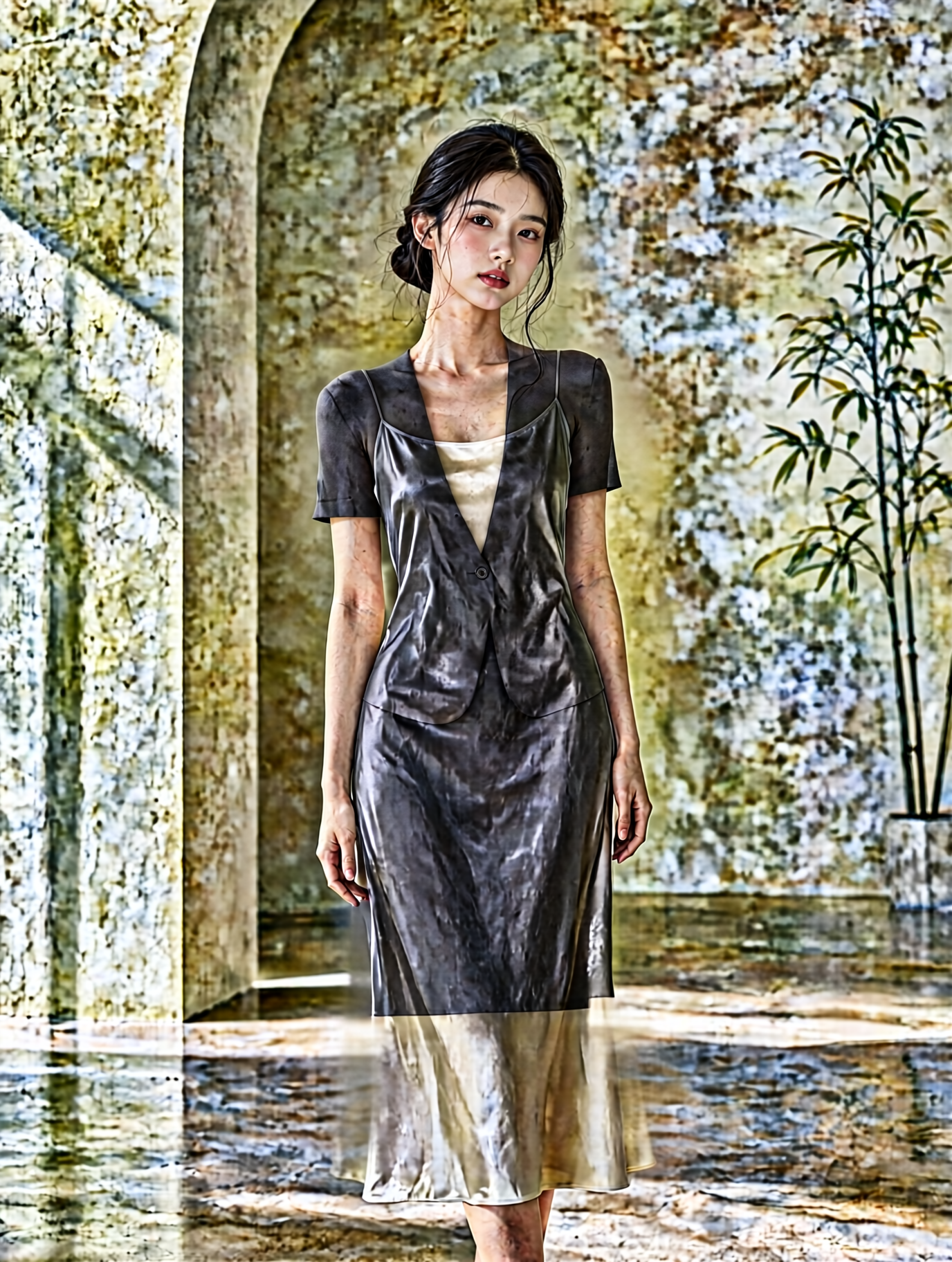
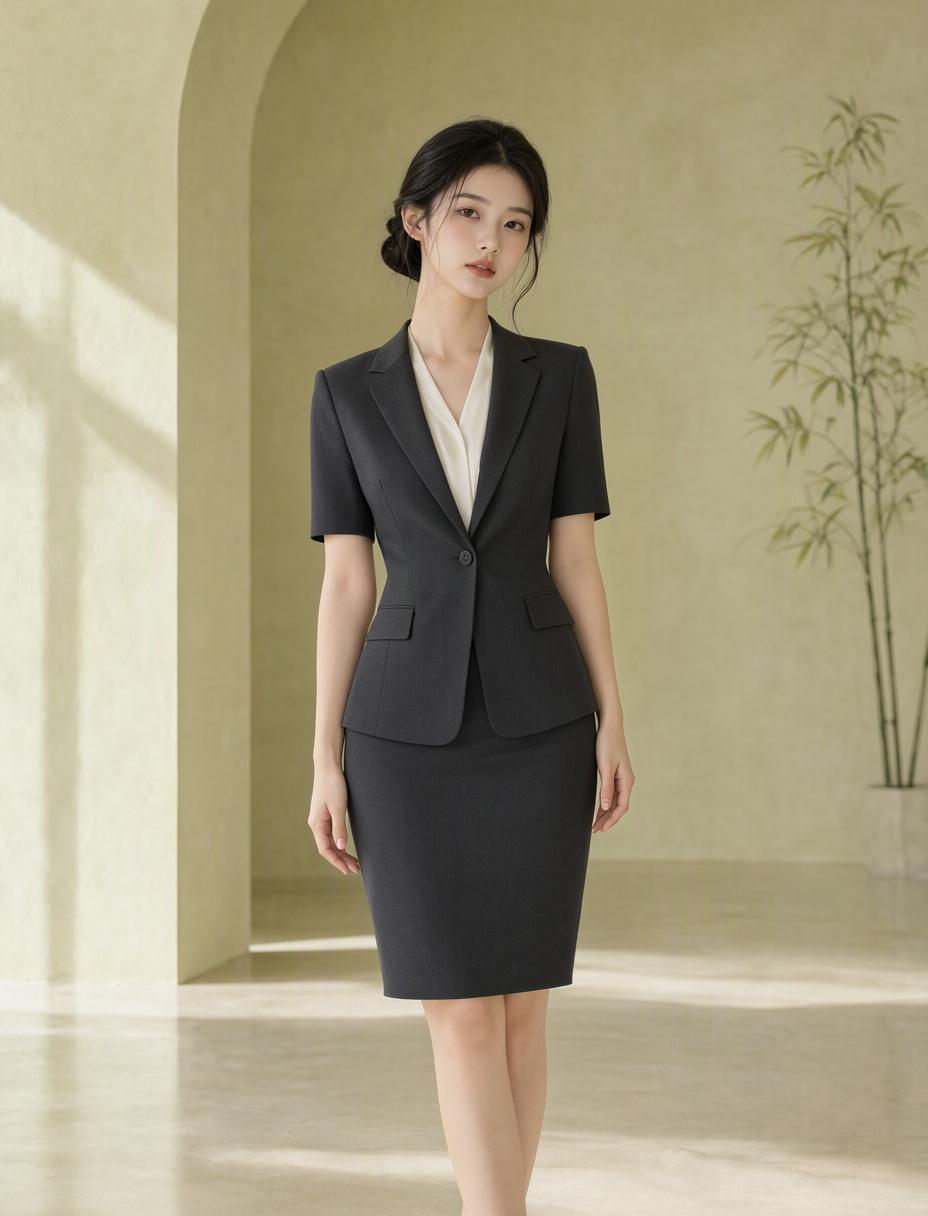
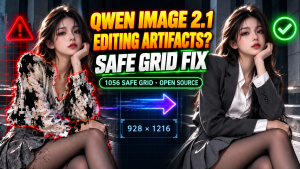
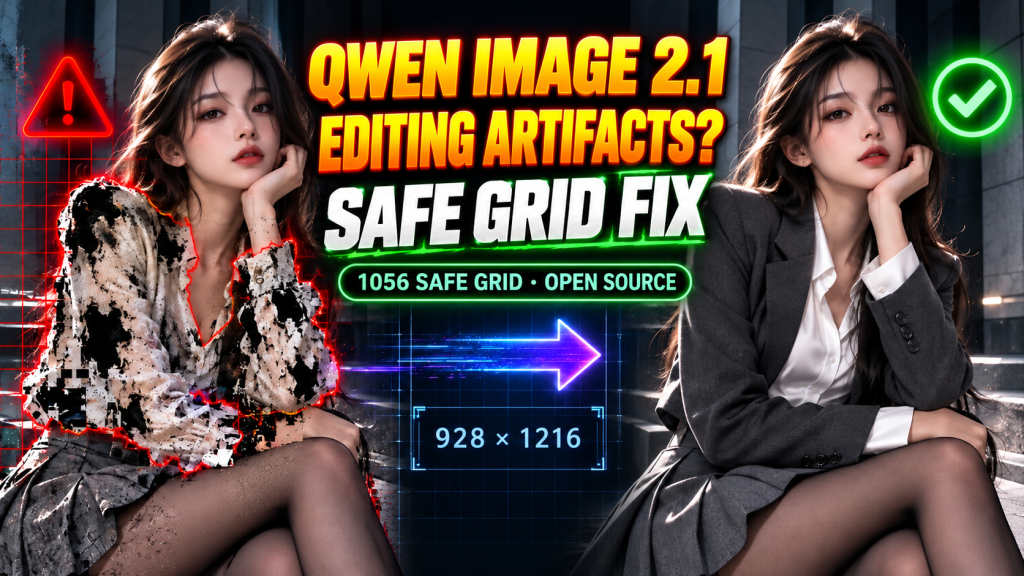
These are published project examples. The cover is a separately localized illustration of the comparison, not a new benchmark output.
The original RX 7900 XTX case recorded a 928 × 1216 single-image edit at 32 steps in 49.2 seconds, with 17.8 GB reported peak VRAM. A two-image garment-transfer case used 35 steps, 55.1 seconds, and 18.2 GB reported peak VRAM. Treat these as case measurements, not a timing promise for another GPU or a claim that the same configuration fits a 12GB card.
Inspect what the prompt asked to preserve
Compare the face and hair, sleeve boundaries, hands, lower garment, background lines, and light direction. Check that the outline is gone. If unchanged regions matter quantitatively, compare those regions directly; “visually preserved” and “pixel-identical” are different acceptance criteria.
Keep the reference-edit recipe separate from text-to-image presets. The documented edit configuration uses low guidance, Euler sampling, and a simple scheduler, with around 32–35 steps. Begin with the supplied settings and change one variable at a time.
If the output still fails, record the source dimensions, calculated grid, model filenames, node versions, seed, and full workflow. That gives an issue report more diagnostic value than a screenshot alone.
Project resources
This edition checks the commands and grid arithmetic against the published scripts. It retains the original measured cases without claiming a fresh hardware rerun.
About The Author