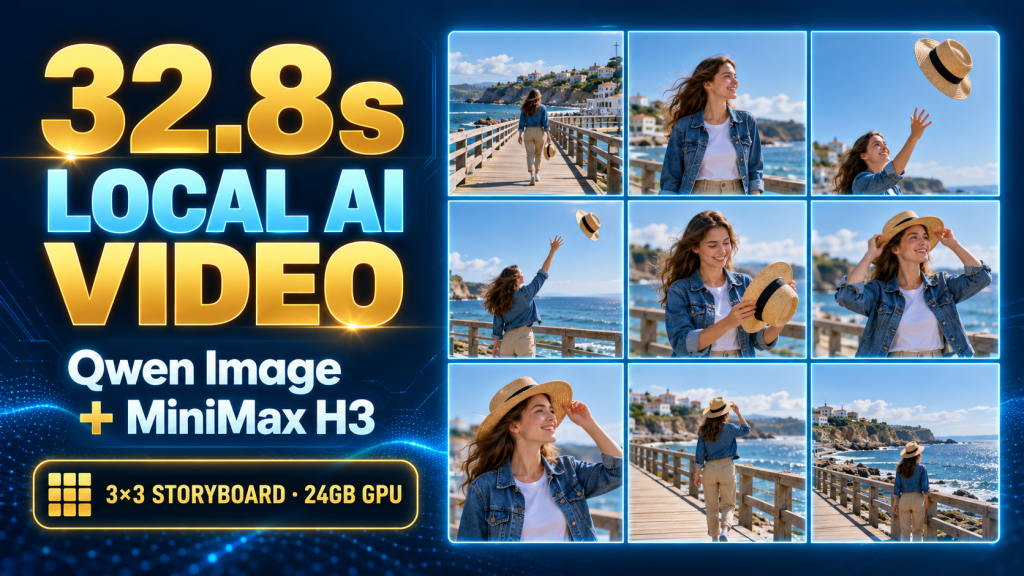
A recorded workflow turns nine related storyboard frames into eight linked video segments, then assembles a 32.8-second result at 832 × 480.
Generating a good individual shot is only part of making an AI video. A longer sequence also needs a recognizable character, a clear action between frames, and cuts that do not skip or repeat movement.
This project pairs Qwen-Image-2.1 storyboard generation with MiniMax H3 / FastH3 video workflows in ComfyUI. The recorded end-to-end run produced 32.8 seconds at 832 × 480, taking approximately 63 minutes on the documented single-GPU setup.
Those numbers describe one recorded run. Higher-resolution still frames were prepared, but the case does not establish measured 1K or 2K video generation performance.
Nine keyframes become eight transitions
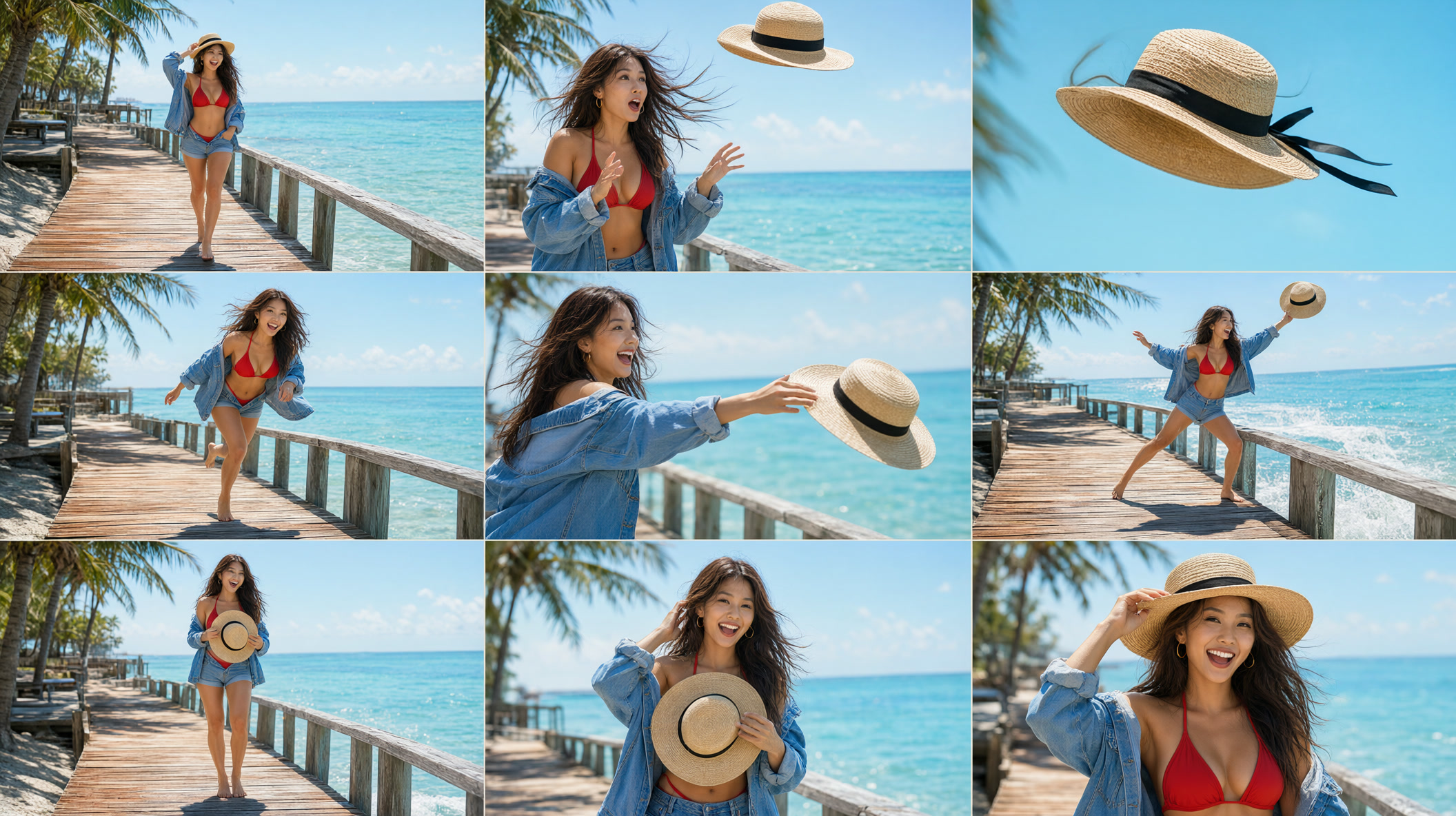
The beach example follows an adult character walking along a boardwalk, reacting to a hat being blown away, retrieving it, and putting it back on.
A 3×3 sheet provides nine related visual states. The video stage interpolates between neighboring states:
Story idea and camera plan
        ↓
One 3×3 storyboard sheet
        ↓
Nine cropped and refined keyframes
        ↓
Eight first-to-last-frame video transitions
        ↓
Motion-context overlap trimming
        ↓
FFmpeg assembly → 32.8-second video
Generating the frames together can help coordinate character and wardrobe details. It does not guarantee perfect identity preservation, physical motion, or a seamless result for every prompt.
Prepare the workflows before running the chain
Download the project:
git clone https://github.com/yang2020chen/minimaxh3-nine-grid-video.git
cd minimaxh3-nine-grid-video
The repository contains two ComfyUI workflows:
workflows/01_qwen_image_2.1_3x3_storyboard_workflow.json
workflows/02_minimax_h3_continuous_video_workflow.json
An existing ComfyUI installation, the required custom nodes, compatible model weights, Python, and FFmpeg are prerequisites. Importing a JSON file does not provide those dependencies. Check for missing nodes and unavailable model selectors before submitting the first job.
Run the first workflow to prepare the storyboard and refined crops. Place the nine ordered images in the inference server’s ComfyUI input/ directory, using the expected filenames from beach_shot_00001_.png through beach_shot_00009_.png.
The client refers to files on the ComfyUI server. If the GPU server is remote, having the images only on your laptop is insufficient.
Start with one transition
The published script’s default workflow path points to an older filename. Pass the repository’s actual workflow explicitly with --wf:
python scripts/run_h3_chain.py \
  --server http://127.0.0.1:8189 \
  --wf workflows/02_minimax_h3_continuous_video_workflow.json \
  --context-name beach_hat_832x480 \
  --input-prefix beach_shot_ \
  --prompts-json examples/beach_h3_prompts.json \
  --width 832 --height 480 \
  --output-dir ./output_storyboard/videos \
  --clip 1
Choose your actual ComfyUI port. The explicit server argument also avoids relying on the script’s original private-LAN default.
Inspect the resulting clip for identity drift, hat position, hand contact, camera motion, and output framing. Confirm that the client downloads the file successfully before expanding the job.
For all eight transitions, use the same command with --all instead of --clip 1:
python scripts/run_h3_chain.py \
  --server http://127.0.0.1:8189 \
  --wf workflows/02_minimax_h3_continuous_video_workflow.json \
  --context-name beach_hat_832x480 \
  --input-prefix beach_shot_ \
  --prompts-json examples/beach_h3_prompts.json \
  --width 832 --height 480 \
  --output-dir ./output_storyboard/videos \
  --all
Use --start-from 3 to resume from transition three with the required earlier context and assets retained. Use --assemble-only for existing clips, retaining the same context name and output directory. A resume flag does not recreate missing context automatically.
Describe movement in physical terms
A transition prompt should connect its starting and ending states. Include the action, camera movement, and interaction that must remain legible.
For example, a tracking shot along the boardwalk can name a steady forward dolly. A hat-retrieval close-up can describe the camera following the hand-to-hat contact point. Vague “cinematic movement” gives less guidance about the required physical event.
The project includes a bilingual prompt file. Use its English transition prompts as a starting point, then inspect the resulting motion rather than assuming that stronger wording will solve a difficult contact or pose change.
The workflow constrains temporal lengths to its supported frame counts. Keep those controls intact when testing a new sequence; approximate requested seconds and actual encoded duration can differ after frame alignment and overlap removal.
Avoid trimming the same overlap twice
The video workflow includes MiniMaxH3MotionContextTrim at node 152. In this recipe, that node already removes the overlap needed to join the subsequent segment.
Adding another one-second trim during FFmpeg assembly can remove real movement and shorten the result. An earlier double-trim version of the example was about 25.8 seconds; the corrected recorded output is 32.8 seconds. That is why the English cover uses 32.8s, rather than the older cover’s 25-second wording.
The project’s assembly path re-encodes the clips with H.264 and AAC. Do not assume stream copying will work for arbitrary generated segments with incompatible timestamps or cut points. If you assemble manually, inspect the list of inputs and check that all eight clips are present before encoding.
What the recorded run actually cost
| Stage | Recorded output | Time |
|---|---|---|
| Storyboard generation | 2112 × 1184 sheet | 153.61 s |
| Crop refinement | Nine 1368 × 768 images | 668.22 s |
| Video generation | Eight 832 × 480 transitions | About 2,965 s |
| Final assembly | 32.8-second video | About 3–5 s |
| Full recorded workflow | Single-GPU chain | About 63 min |
The crop sizes are delivered image dimensions, not instructions to set an arbitrary reference-edit latent canvas to the same values. The Qwen editing stage needs its own matching grid configuration.
The original record distinguishes precise ComfyUI execution times from approximate video-stage times inferred from task and file timestamps. This is not a multi-run performance distribution.
A 24GB GPU is the documented reference class. The repository describes lower-memory options, but this article does not establish a verified VRAM peak or stable runtime on every 16GB card. Do not extrapolate the single run to a different resolution or hardware configuration.
Review the output as a sequence
Watch across each join at normal speed and frame by frame. Check face and wardrobe consistency, whether the hat follows a plausible path, whether hands make contact, and whether audio or movement jumps at a boundary.
Some clips may need regeneration. Automated assembly means the chain can execute without manual file stitching; it does not mean every generated take meets a creative quality bar.
At 480p, faces in wide shots have limited detail. Increasing still-image resolution does not itself turn the video result into a measured high-resolution video run.
Download the reproducible assets
- Workflows, chain script, and example prompts
- Qwen reference-edit templates
- Original Chinese experiment
- Pipeline repository license: MIT; check the model and custom-node licenses separately.
This edition localizes the recorded experiment and checks the published script arguments. It does not claim a newly generated video or additional hardware measurements.
About The Author