Running a 125B AI on a 12GB RTX 3060: X99 Benchmark & Tuning Guide
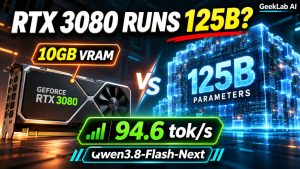
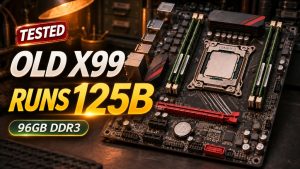
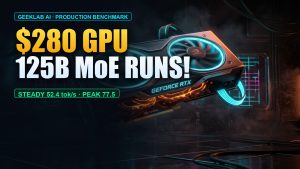
Executive Summary: By conventional local LLM rules, running a 75.8-gigabyte, 125-billion-parameter language model on an entry-level 12GB graphics card should result in an immediate out-of-memory crash—or an agonizing 0.5 to 1.5 tokens/second crawl under naive CPU offloading. In this bare-metal hardware benchmark, we paired a standard NVIDIA GeForce RTX 3060 12GB with an old Intel Xeon E5-2678 v3 and 96GB of DDR3 ECC memory on a budget X99 motherboard to run Qwen3.8-Flash-Next (IQ3_XXS) via the Strata inference engine on Windows 10. Across 7 controlled single-request benchmark runs from 5,120 to 35,840 context tokens, this \$420 used rig delivered 65.43 to 73.69 tokens/s generation throughput, peaking at 73.69 tok/s at 25.6K context and reaching 850.50 tokens/s prefill speed. Here is the complete engineering breakdown of memory tiering, latency trade-offs, direct model download links, and the five essential configuration settings required to replicate these results.
1. The Impossible Result: 125B on a 12GB GPU
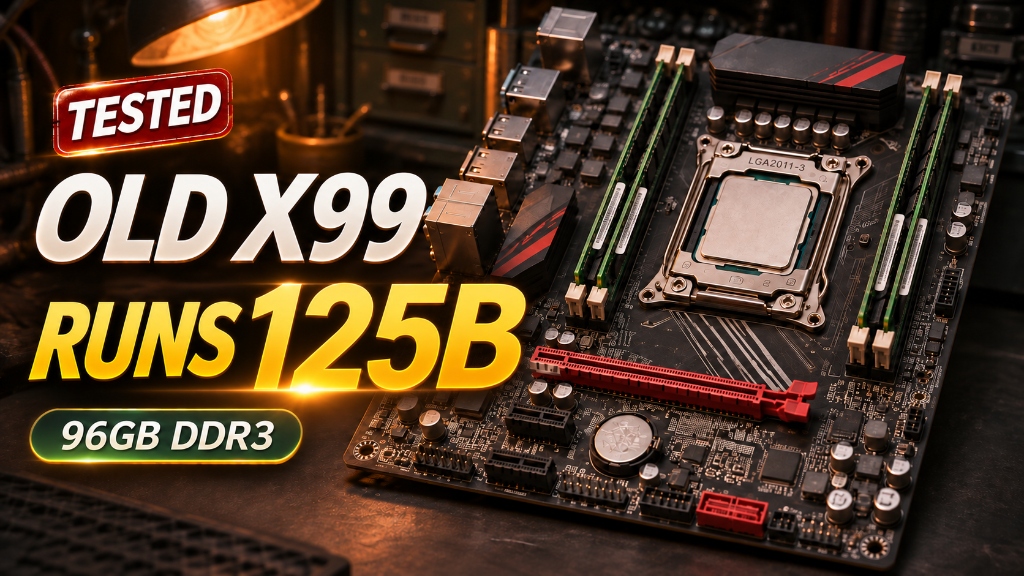
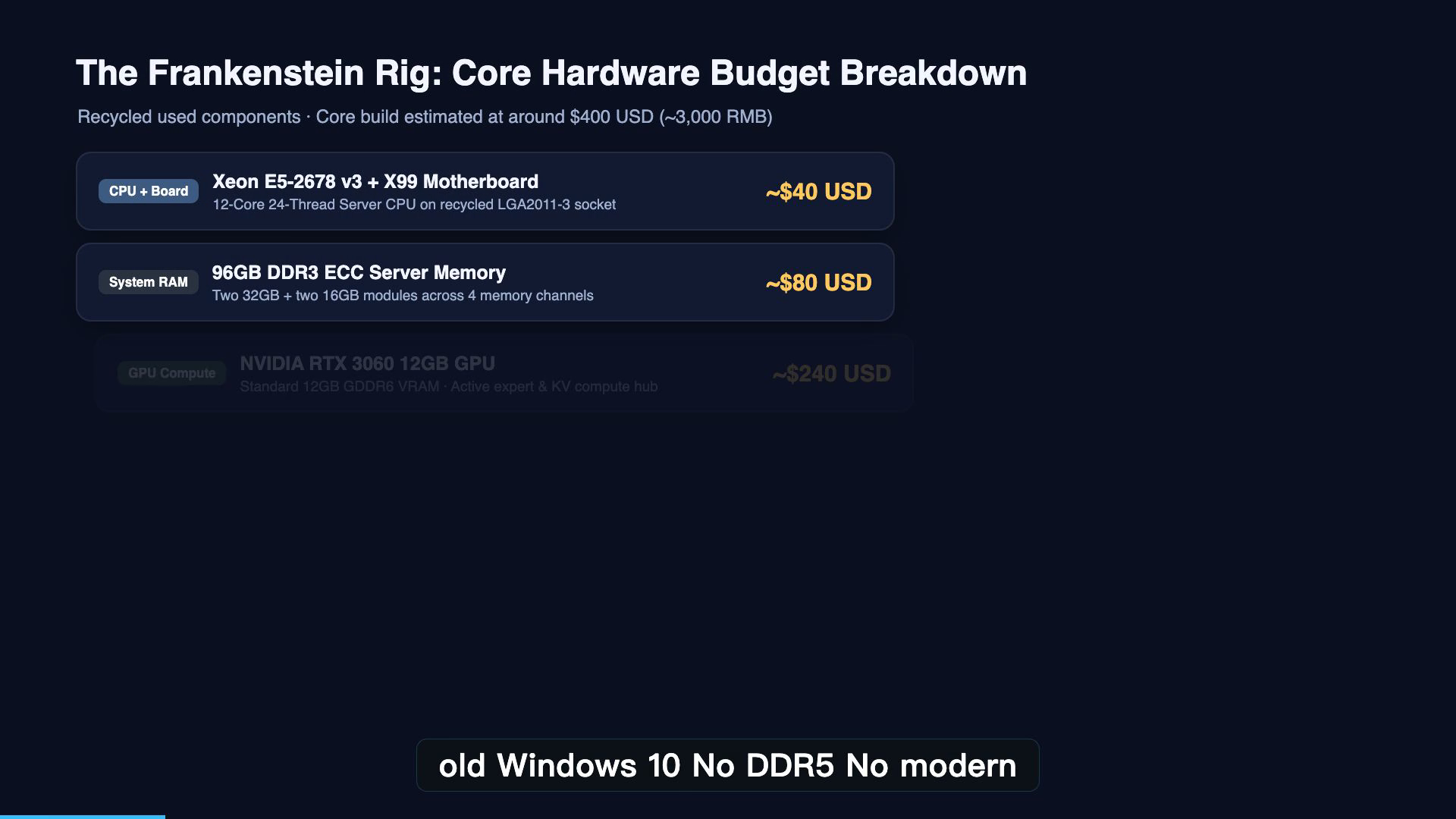
The hardware in this experiment is intentionally modest: an aging 12-core Intel Xeon processor from 2014, a recycled Chinese X99 motherboard, 96 gigabytes of server-grade DDR3 ECC memory, and an NVIDIA GeForce RTX 3060 with 12 gigabytes of VRAM.
The entire base computer cost roughly 3,000 RMB (approximately \$420 USD) on the secondhand market, excluding the dedicated 2TB NVMe SSD used for model weights and lookup tables.
Yet on this budget platform, we loaded Qwen3.8-Flash-Next—a massive 125-billion-parameter Mixture-of-Experts (MoE) model distributed across two file shards totaling 75.8 gigabytes. The system not only booted cleanly on Windows 10, but produced continuous text generation at up to 73.69 tokens per second.
Key Verified Benchmark Highlights
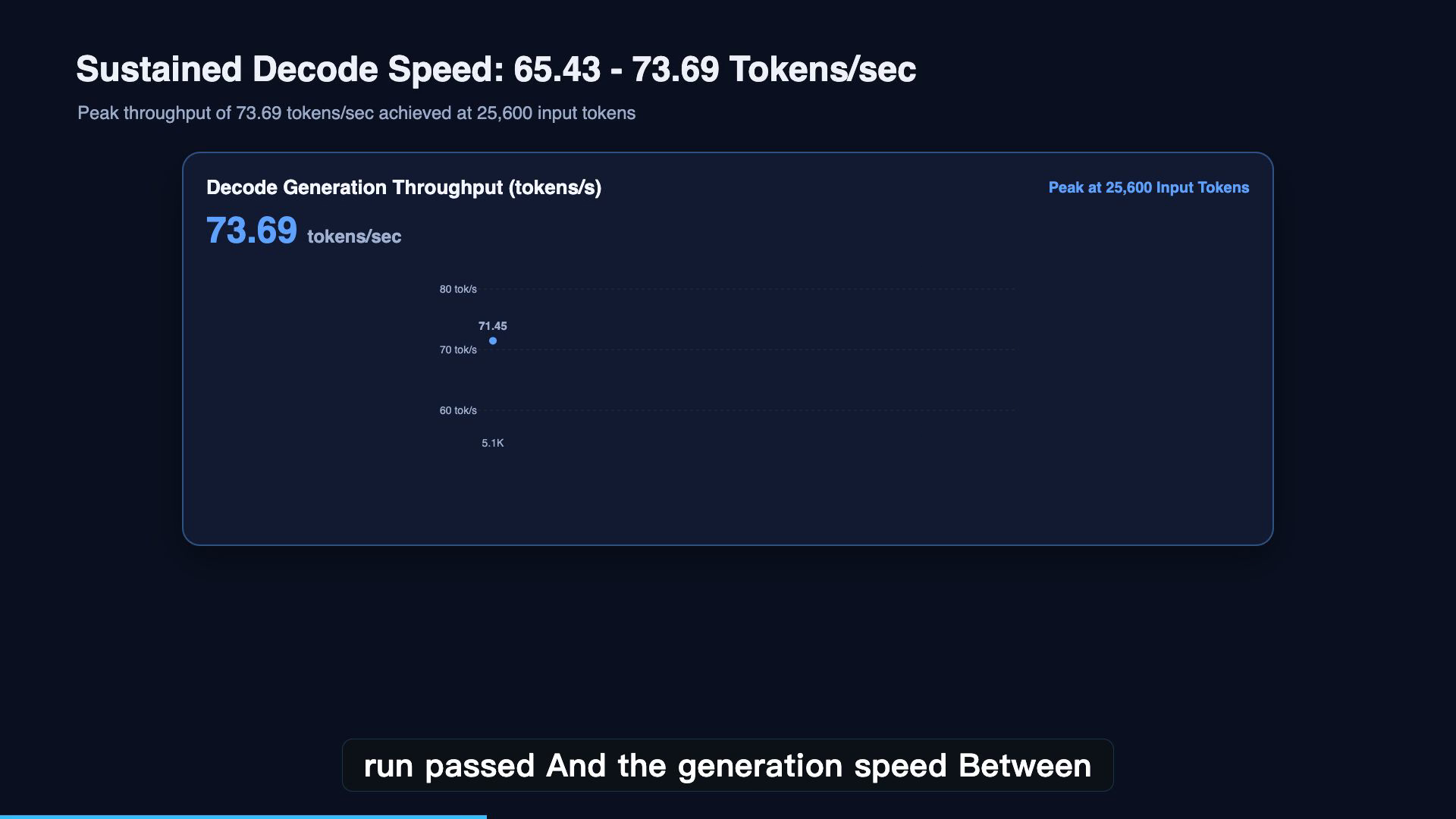
- Single-Request Decode Peak: 73.69 tokens/s (measured at 25,600 input tokens)
- Sustained Decode Window: 65.43 to 73.69 tokens/s across all 7 tested prompt lengths
- Peak Prefill Throughput: 850.50 tokens/s at 35,840 input tokens
- Memory Footprint: 75.8GB model files running comfortably on 96GB system RAM + 12GB VRAM
- Total Hardware Cost: ~\$420 USD base workstation (Xeon E5 + X99 + DDR3 + RTX 3060)
2. Test Bench & Hardware Specifications
To maintain strict reproducibility, all benchmarks were recorded on bare-metal hardware running standard consumer operating systems, avoiding proprietary enterprise server configurations:
| Subsystem | Hardware / Software Component | Technical Specification & Role |
|---|---|---|
| Graphics Card | NVIDIA GeForce RTX 3060 12GB | Ampere GA106, 12GB GDDR6, 192-bit bus, 360 GB/s internal bandwidth |
| Processor | Intel Xeon E5-2678 v3 | 12 Cores / 24 Threads, 2.50 GHz base (Haswell-EP, LGA2011-3) |
| Motherboard | Huananzhi X99 Dual/Single Platform | Intel C612 / X99 chipset, quad-channel memory support |
| System Memory | 96GB DDR3 ECC Reg (6x 16GB DIMMs) | Holds the 47GB static base model weight pool + OS cache headroom |
| Model Storage | 2TB PCIe 3.0 NVMe M.2 SSD | Hosts the 28.8GB n-gram lookup table with Direct I/O streaming |
| Operating System | Microsoft Windows 10 Pro (x64) | Standard WHQL NVIDIA Display Driver 560+ |
| Inference Engine | Strata Engine v0.1.58 | Heterogeneous tiered inference runtime coordinating RAM, VRAM & NVMe |
| Target Model | Qwen3.8-Flash-Next (IQ3_XXS) |
125B MoE Base + 51B N-gram lookup table (~75.8GB across 2 shards) |
3. Architecture Deep Dive: How 75.8GB Runs on a 12GB Card
How can a 75.8-gigabyte model execute on a graphics card with only 12 gigabytes of physical memory?
The short answer: The model does not live entirely in GPU memory.
Instead of treating VRAM as the sole container for model weights, Strata establishes an intelligent, three-tier memory hierarchy spanning GPU memory, system RAM, and high-speed NVMe flash storage.
3.1 Radical MoE Sparsity
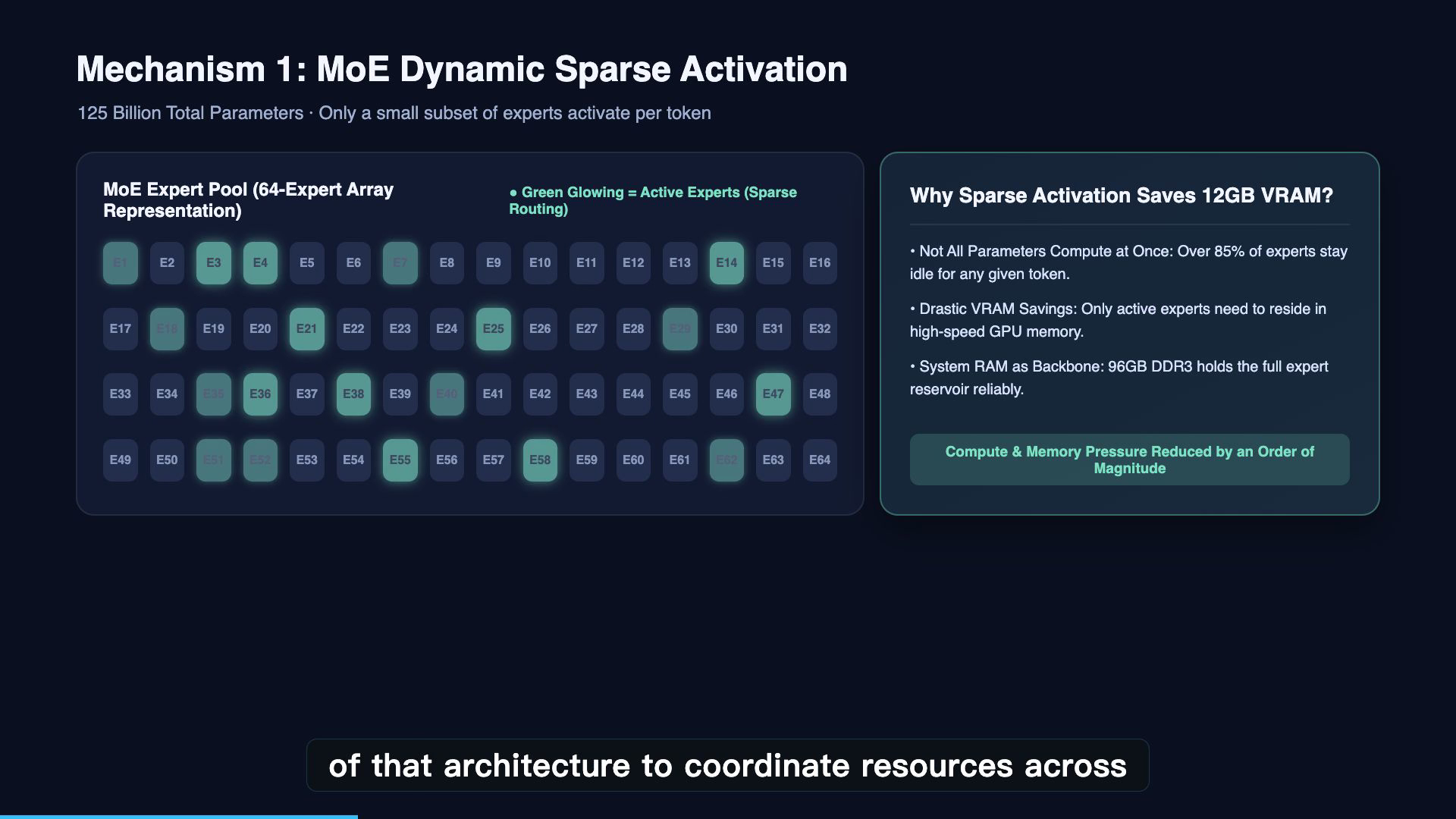
Dense models activate 100% of their parameters for every single token. In contrast, Qwen3.8-Flash-Next is an MoE architecture. While the overall parameter count is 125 billion, only a small fraction of the routed experts are activated for any individual token prediction. This algorithmic sparsity drastically reduces the compute and bandwidth requirements per forward pass.
3.2 The Three-Tier Memory Division
- Tier 1: 12GB GPU VRAM (Active Compute & Working Buffers)
The RTX 3060’s VRAM provides 360 GB/s internal bandwidth. It holds the CUDA kernel workspace, the quantized KV cache, activation buffers, and the currently active expert layers. - Tier 2: 96GB DDR3 ECC System RAM (Model Weight Pool)
The primary 47-gigabyte model weights file is hosted in system memory. The quad-channel DDR3 bus provides sufficient aggregate bandwidth to feed inactive expert parameters on demand without causing system thrashing. - Tier 3: 2TB NVMe SSD (Direct I/O N-Gram Lookup Table)
The second model shard contains approximately 28.8 gigabytes of n-gram candidate data. Rather than consuming valuable system RAM, Strata accesses this static table via asynchronous Direct I/O, bypassing OS file cache overhead and streaming blocks straight from flash storage when needed.
4. Benchmark Results: 7 Controlled Runs (5K to 35.8K Context)
We evaluated the rig across seven progressively larger context windows under single-request concurrency. All seven runs completed successfully without out-of-memory errors or process termination.
| Run ID | Prompt Tokens | Prefill Speed (tok/s) | Time to First Token (TTFT) | Generated Tokens | Decode Speed (tok/s) |
|---|---|---|---|---|---|
| Run 1 | 5,120 | 618.57 | 8.28 s | 128 | 65.43 |
| Run 2 | 10,240 | 697.52 | 14.68 s | 128 | 70.08 |
| Run 3 | 15,360 | 733.80 | 20.93 s | 128 | 71.93 |
| Run 4 | 20,480 | 785.45 | 26.07 s | 128 | 72.88 |
| Run 5 | 25,600 | 811.23 | 31.56 s | 128 | 73.69 (Peak) |
| Run 6 | 30,720 | 832.40 | 36.90 s | 128 | 71.74 |
| Run 7 | 35,840 | 850.50 (Peak) | 40.59 s | 128 | 72.51 |
The Critical Latency Reality Check: Understanding TTFT
High token-per-second generation numbers can easily be misunderstood. While text generation streamed at an impressive 72 to 73 tokens per second, time to first token scaled with prompt length:
– At 5,120 tokens, generation began after 8.28 seconds.
– At 35,840 tokens, the initial wait time reached 40.59 seconds.
On DDR3 hardware, prefilling tens of thousands of tokens requires sequential memory bandwidth. Once prompt ingestion completes, generation is exceptionally fast—but users should understand that 73 tok/s generation does not mean instant response on long documents.
[!NOTE]
Boundary Clarification: In our Strata configuration, the context window parameter was set to 128K (131,072tokens). However, the automated benchmark sweep was manually capped at 35,840 tokens to verify stability without overnight wear. This article documents measured performance up to 35.8K tokens, not a completed 128K stress test.
5. The Hidden Performance Settings in Strata
Launching a 125B model through Strata’s GUI is straightforward, but achieving 73 tokens/s on a 12GB GPU requires precise parameter tuning. Below are the five crucial configuration pillars used in our tests:
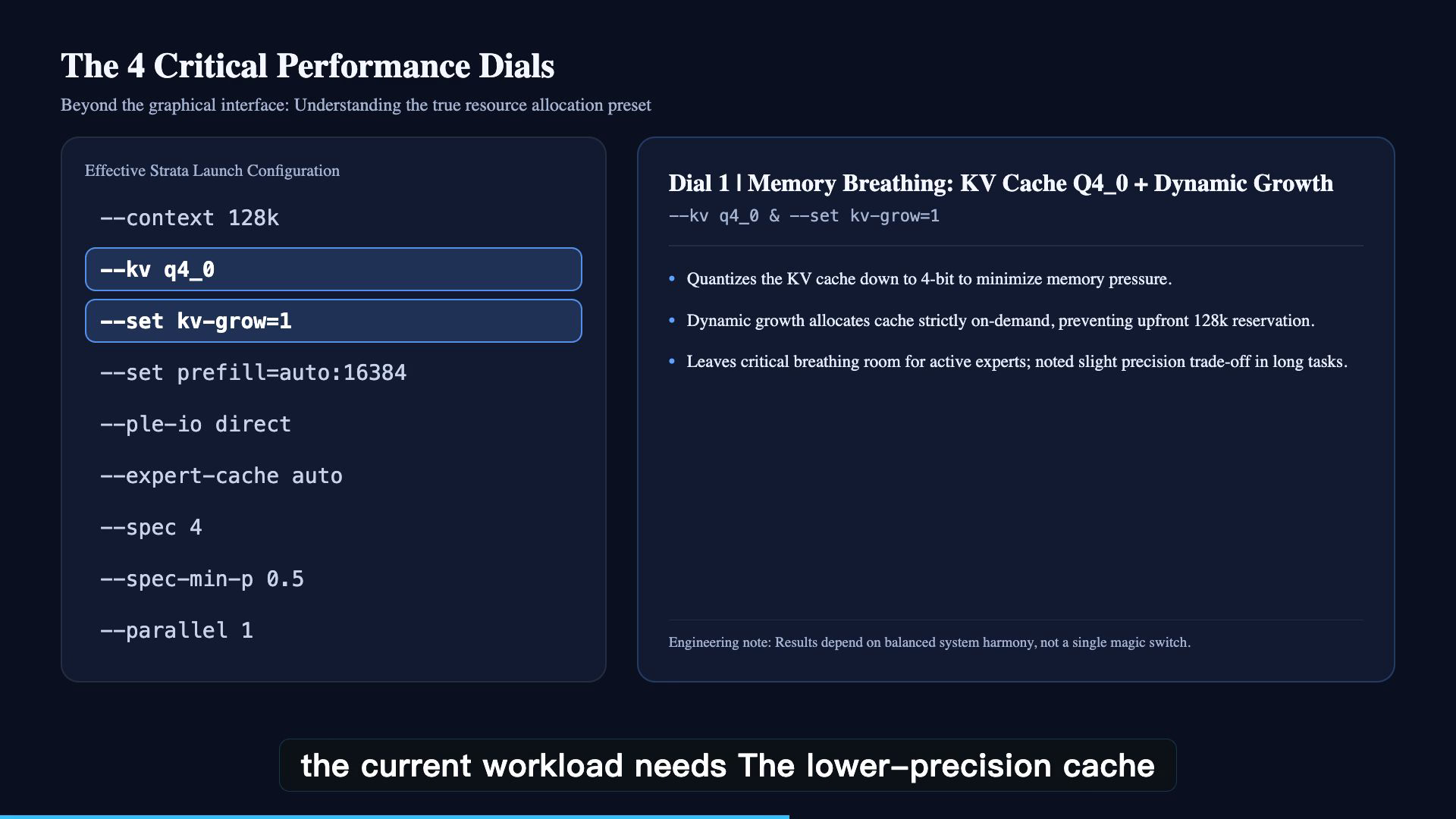
1. Q4_0 KV Cache Quantization
By default, FP16 KV caches consume massive VRAM as context grows. Setting kv_cache_type = "q4_0" compresses key-value states to 4-bit representation, slashing cache memory consumption by approximately 75% with negligible perplexity degradation on conversational tasks.
2. Dynamic KV Growth
Instead of pre-allocating the entire 128K context cache in GPU memory at startup (which would instantly exhaust 12GB VRAM), dynamic KV allocation allocates memory incrementally as tokens are processed. This preserves maximum headroom for active layer compute.
3. Chunked Prefill (max_chunk = 16384)
When ingesting long prompts, feeding the entire sequence in one monolithic batch can trigger GPU kernel timeouts and out-of-memory errors. Strata splits prompt ingestion into chunks of up to 16,384 tokens, maintaining sustained prefill throughput up to 850 tok/s.
4. Direct I/O & Expert Caching
For the 28.8GB n-gram lookup shard, enabling Direct I/O bypasses the Windows page cache, preventing system memory exhaustion. Concurrently, Strata’s expert cache keeps the most frequently activated MoE routing layers pinned in high-speed buffers.
5. Speculative Decoding (depth = 4, min_prob = 0.5)
Strata uses multi-token speculative proposal. A lightweight draft mechanism prepares up to 4 candidate tokens per cycle, which the 125B model verifies in a single parallel forward pass. With an acceptance threshold of 0.5, this effectively doubles generation throughput on standard text.
6. Five-Step Windows 10 Reproduction Playbook
If you own an X99/X79 rig, an older workstation, or an RTX 3060/4060, follow this verified five-step playbook to deploy the model:
Step 1: Memory Verification & Virtual Memory Headroom
Ensure your host has at least 96GB of physical RAM. Set a static Windows Pagefile of 64GB to 96GB on your fastest SSD to prevent unexpected allocations from triggering OS termination.
Step 2: Dedicated NVMe Partitioning
Store the model files on an NVMe SSD with at least 1,500 MB/s sequential read speed. Ensure the filesystem cluster size is set to 64KB for optimal large-block Direct I/O throughput.
Step 3: Direct Download Links for Both Model Shards
The model is hosted in the official HuggingFace repository: ISTA-DASLab/Qwen3.8-Flash-Next-GSQ-RCO-GGUF.
You must download both shards under the IQ3_XXS subfolder into the same directory:
| Model Shard | File Name | Size | Direct Download URL |
|---|---|---|---|
| Shard 1 (Weights) | Qwen3.8-Flash-Next-GSQ-RCO-IQ3_XXS-00001-of-00002.gguf |
43.81 GB | Direct Download Shard 1 |
| Shard 2 (Lookup Table) | Qwen3.8-Flash-Next-GSQ-RCO-IQ3_XXS-00002-of-00002.gguf |
26.82 GB | Direct Download Shard 2 |
Option A: Download via huggingface-cli (Recommended)
# Install HuggingFace CLI if needed
pip install -U huggingface_hub

# Download both IQ3_XXS shards directly to your target directory
huggingface-cli download ISTA-DASLab/Qwen3.8-Flash-Next-GSQ-RCO-GGUF \
  --include "IQ3_XXS/*" \
  --local-dir D:\models\Qwen3.8-Flash-Next-IQ3_XXS
Option B: Download via PowerShell or aria2c
# Fast multi-connection download with aria2c
aria2c -x 16 -s 16 -j 2 "https://huggingface.co/ISTA-DASLab/Qwen3.8-Flash-Next-GSQ-RCO-GGUF/resolve/main/IQ3_XXS/Qwen3.8-Flash-Next-GSQ-RCO-IQ3_XXS-00001-of-00002.gguf"
aria2c -x 16 -s 16 -j 2 "https://huggingface.co/ISTA-DASLab/Qwen3.8-Flash-Next-GSQ-RCO-GGUF/resolve/main/IQ3_XXS/Qwen3.8-Flash-Next-GSQ-RCO-IQ3_XXS-00002-of-00002.gguf"
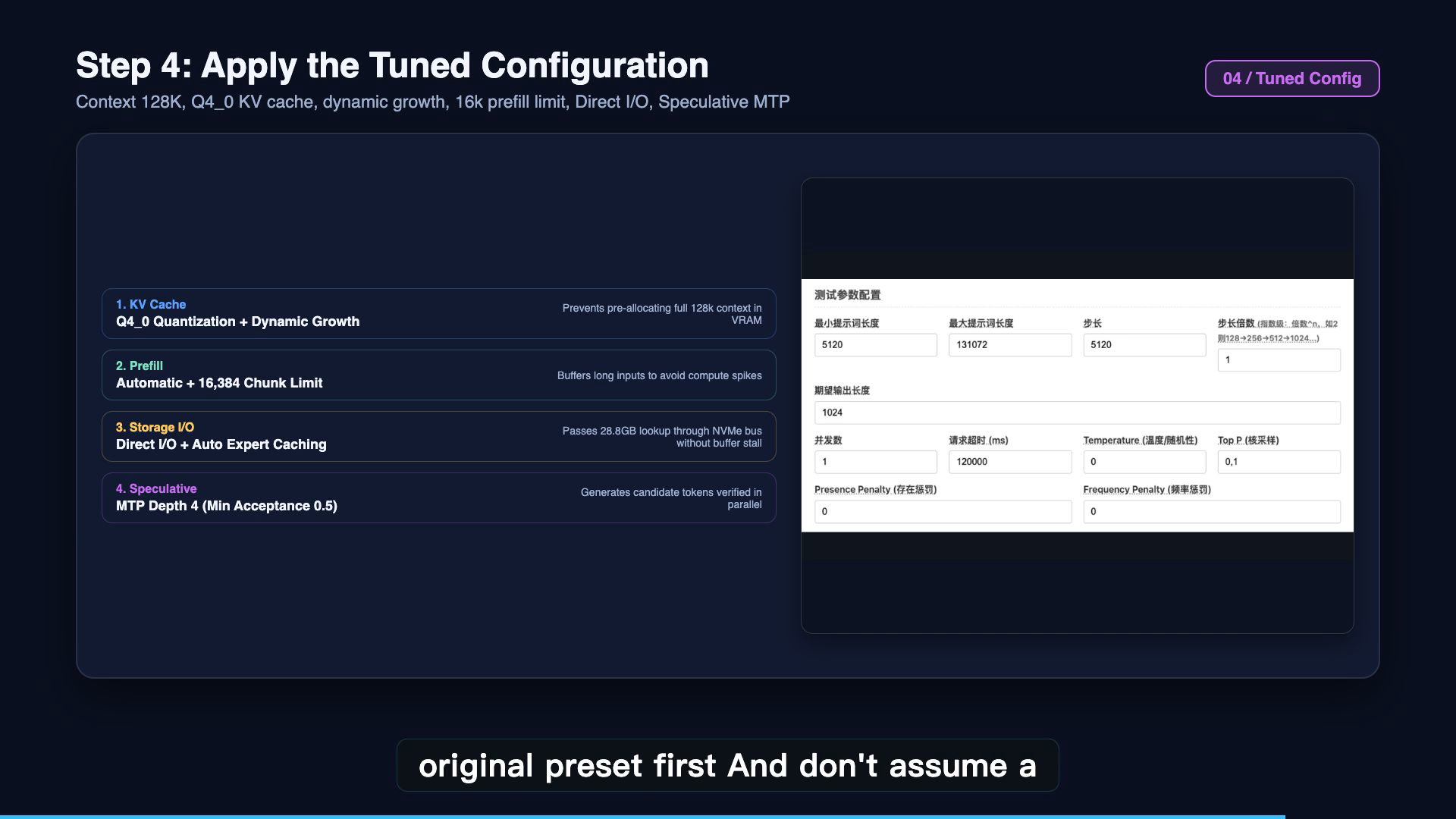
Step 4: Configure Strata Launch Parameters
In strata.json or through the Strata UI / CLI flags, configure the matching file paths and options:
{
  "model_path": "D:\\models\\Qwen3.8-Flash-Next-IQ3_XXS\\IQ3_XXS\\Qwen3.8-Flash-Next-GSQ-RCO-IQ3_XXS-00001-of-00002.gguf",
  "lookup_path": "D:\\models\\Qwen3.8-Flash-Next-IQ3_XXS\\IQ3_XXS\\Qwen3.8-Flash-Next-GSQ-RCO-IQ3_XXS-00002-of-00002.gguf",
  "context_length": 131072,
  "kv_cache_type": "q4_0",
  "dynamic_kv": true,
  "prefill_chunk_size": 16384,
  "direct_io": true,
  "speculative_depth": 4,
  "speculative_threshold": 0.5,
  "gpu_layers": 28
}
Step 5: Verify Throughput & Thermal Stability
Monitor GPU temperature and VRAM utilization with nvidia-smi or GPU-Z during the first run. VRAM usage should plateau at 10.8GB to 11.4GB, leaving safe headroom for Windows display rendering.
[!TIP]
Windows 10 Performance Optimization Tip:
In the NVIDIA Control Panel, navigate to Manage 3D Settings → Power Management Mode and select “Prefer Maximum Performance”. This prevents the driver from down-clocking PCIe or memory clocks during offload intervals. Also ensure background hardware-accelerated apps (such as Discord or Chrome) are closed so they do not contend for the RTX 3060’s 12GB VRAM pool.
7. Frequently Asked Questions (FAQ)
Can I run this setup with only 64GB of RAM?
No. The model weights and lookup table require approximately 75.8GB. With 64GB of RAM, the system would immediately spill heavily into disk swap, crashing decode speed down to less than 1 token per second. 96GB is the practical minimum; 128GB provides optimal OS cache buffer.
Why use an older Xeon and DDR3 instead of modern DDR5?
Cost and capacity. 96GB or 128GB of DDR5 memory costs upwards of \$400-\$600 alone. In contrast, 96GB of server DDR3 ECC memory can be acquired for under \$60 on secondhand platforms. Because MoE models only require high memory capacity rather than astronomical system bandwidth during decode, older server platforms offer unmatched cost-per-gigabyte efficiency.
Does Q4_0 KV Cache hurt reasoning accuracy?
For general conversational tasks, coding assistance, and text generation, the quality loss from 4-bit KV quantization is negligible. However, for specialized needle-in-a-haystack tasks or dense mathematical proofs across 100K+ context, you may observe slight degradations compared to FP16.
8. Conclusion & Resources
The era of assuming massive AI models strictly require \$20,000 server GPUs is evolving rapidly. By combining radical mixture-of-experts sparsity with intelligent tiered inference engines like Strata, a decade-old \$420 Xeon workstation and a 12GB RTX 3060 can deliver conversational speeds that were unimaginable on consumer hardware just two years ago.
Essential Project Links
- Model Files (HuggingFace): ISTA-DASLab/Qwen3.8-Flash-Next-GSQ-RCO-GGUF
- Shard 1 (43.81 GB)
- Shard 2 (26.82 GB)
- Strata Inference Engine: GitHub – Niko1221/Strata
- Video Companion Channel: GeekLab AI on YouTube
- Web Studio AI Tools Directory: blog.757688.xyz/tools
╔════════════════════════════════════════════════════════════════════════╗
║                     🛠️ Web Studio Local AI Tool Station                ║
╠════════════════════════════════════════════════════════════════════════╣
║ 🌐 All Tools & Benchmark Datasets: https://blog.757688.xyz/tools       ║
║                                                                        ║
║ 🌟 Recommended Developer Utilities:                                    ║
║   • 🍏 Local Image & Asset Compressor: https://blog.757688.xyz/tools/image-compressor ║
║   • 📄 Client-side PDF Toolkit (100% Private): https://blog.757688.xyz/tools/pdf-tools ║
║   • ⚡ High-Performance LLM Hardware Sizing: https://blog.757688.xyz/tools/llm-calculator ║
║                                                                        ║
║ 🛡️ Privacy Standard: Client-side compute · Zero Tracking · 100% Open   ║
╚════════════════════════════════════════════════════════════════════════╝
About The Author