RTX 3060 12GB Runs a 125B AI Model: Complete Speedy Setup Guide for Ubuntu
Executive Summary & Quick Takeaways:
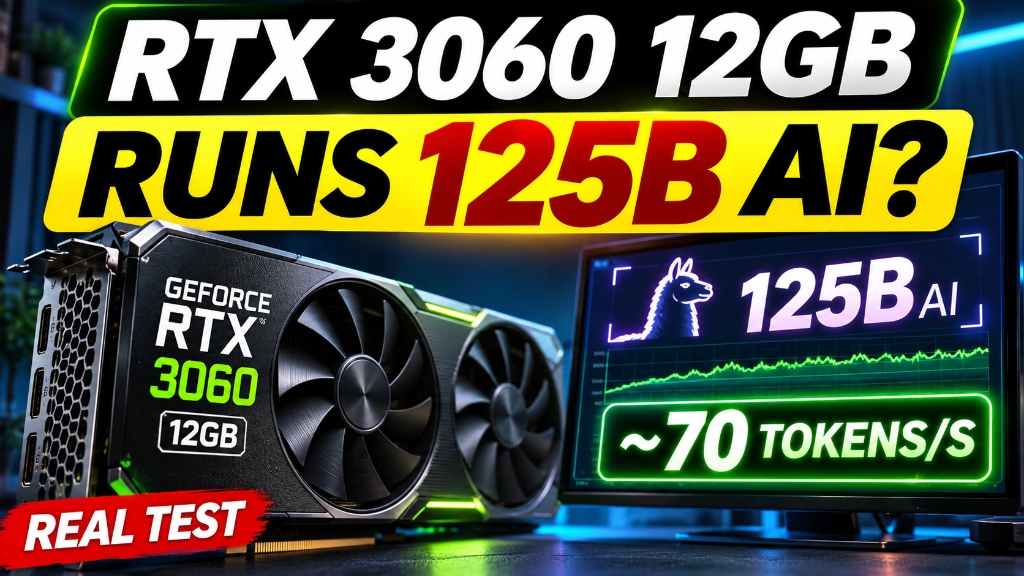
– Core Achievement: Yes, an NVIDIA GeForce RTX 3060 (12GB VRAM) can run a 125-billion-parameter MoE model locally. In our real recorded demonstration, Qwen3.8-Flash-Next IQ3_S generated text at 70.6 tokens per second.
– The Hardware Reality: The 125B model weights total 83.6GB and do not fit into 12GB of VRAM. Successful inference relies on approximately 96GB of high-speed system RAM, fast NVMe storage, and a PCIe 4.0 ×16 connection to dynamically stream expert layers.
– Formal Benchmark Results (Cold Cache, 3 Runs):
– 32K Context: 1,005.3 tok/s prefill, 59.1 tok/s decode (~32s prompt latency).
– 120K Context: 920.1 tok/s prefill, 68.2 tok/s decode (~130.5s prompt latency).
– Architecture: Dynamic Mixture-of-Experts (MoE) offloading with an intelligent 4.9GiB GPU expert cache, paired with speculative Multi-Token Prediction (MTP).
[!NOTE]
Evidence & Methodology Disclosure:
Our historical benchmark was executed using a previously compiled Speedy engine (commite307537) and existing model assets on a local test rig. The commands and procedures below reflect official upstream practices and our real configuration records. Results on your specific machine will vary based on CPU memory bandwidth, PCIe generation, and driver configuration.
1. Hardware Architecture: What You Need Beyond a 12GB GPU
Running an 83.6GB quantized model with an entry-level graphics card requires understanding how system memory and GPU VRAM interact. The GPU is an accelerator and high-speed cache, not the sole container.
Recorded Test Rig Specifications
| Component | Our Recorded Test System | Technical Role & Planning Advice |
|---|---|---|
| GPU | NVIDIA GeForce RTX 3060 12GB | Ampere architecture (sm_86), handles active expert layers and KV cache |
| CPU | AMD Ryzen 7 3700X | 8 cores, 16 threads; orchestrates offloading and token routing |
| System RAM | ~96GB DDR4 (94GiB reported by Linux) | Mandatory requirement. Holds the full 83.6GB model weights in RAM |
| Storage | PCIe 4.0 NVMe SSD | Fast weight paging; reserve ≥ 120GB free space for shards and build artifacts |
| Bus Interface | PCIe 4.0 ×16 (under load) | Critical bandwidth pipe for transferring expert matrices to VRAM |
| OS | Ubuntu 24.04 LTS (x86_64) | Production-grade Linux environment with official CUDA drivers |
| Historical Driver | NVIDIA 595.99.02 | Baseline record from our test machine (any modern 535+ driver is compatible) |
| Historical Toolkit | CUDA Toolkit 12.0.140 | Compiler runtime for the native CUDA engine build |
| Inference Engine | Speedy (Strata engine, commit e307537) |
High-throughput MoE inference engine with native expert caching |
[!WARNING]
System RAM Threshold: If your PC has 16GB, 32GB, or 64GB of system RAM, do not expect this setup to work. The model shards and runtime memory footprint require around 88GiB of available RAM to avoid catastrophic Linux OOM killer termination.
How Speedy Coordinates MoE Offloading
Qwen3.8-Flash-Next uses a Mixture-of-Experts (MoE) architecture. While the model contains approximately 125 billion parameters in total, only a small subset of expert networks are activated for each token.
Speedy splits the workload across a multi-tier memory hierarchy:
┌───────────────────────────────────────────────────────────────────────────┐
│                        System RAM (~96GB DDR4)                            │
│  ┌─────────────────────────────────┐ ┌─────────────────────────────────┐  │
│  │ Shard 1: Transformer (54.8GB)   │ │ Shard 2: N-Gram Table (28.8GB)  │  │
│  └─────────────────────────────────┘ └─────────────────────────────────┘  │
└─────────────────────────────────────┬─────────────────────────────────────┘
                                      │ PCIe 4.0 ×16 Bus (~25.5 GB/s)
                                      ▼
┌───────────────────────────────────────────────────────────────────────────┐
│                   RTX 3060 12GB GDDR6 Dedicated VRAM                      │
│  ┌────────────────────────┬────────────────────────────────────────────┐  │
│  │ 4.9GiB Expert Cache    │ 3.6GiB KV-Cache & Activation Buffers       │  │
│  │ (Frequent MoE weights) │ (Context up to 32K–120K)                   │  │
│  ├────────────────────────┴────────────────────────────────────────────┤  │
│  │ 3.5GiB System Headroom, CUDA Runtime & Framebuffer                  │  │
│  └─────────────────────────────────────────────────────────────────────┘  │
└─────────────────────────────────────┬─────────────────────────────────────┘
                                      │
                                      ▼
                  [Active MoE Inference: Up to 70.6 tok/s]
By dedicating 4.9GiB of VRAM to an intelligent expert cache, Speedy retains frequently requested expert weights directly on the GPU. Only missing experts are paged across the PCIe bus on demand.
2. Pre-Flight Check: Verify Your Ubuntu Environment
Before cloning repositories or downloading 80GB files, verify that your hardware, drivers, and compiler are properly recognized by Linux.
Open a terminal and run the pre-flight diagnostic suite:
nvidia-smi
nvcc --version
free -h
lsblk -o NAME,FSTYPE,SIZE,MOUNTPOINT
df -h "$HOME"
python3 --version
cmake --version
Key Verification Metrics
nvidia-smi: Must display your GeForce RTX 3060 and report12288MiBtotal VRAM.nvcc --version: Confirms that the NVIDIA CUDA Compiler Toolkit is installed.
[!IMPORTANT]
The CUDA version listed in the top-right corner ofnvidia-smiindicates your driver’s maximum supported CUDA version, not that the compiler (nvcc) is present on your system.free -h: Verify thatMem: totaldisplays at least92Gior higher.df -h: Ensure your destination disk has at least 120GB of free space.
If basic development packages are missing, install them on Ubuntu:
sudo apt update
sudo apt install -y git cmake ninja-build build-essential \
  python3 python3-venv python3-pip curl
If nvcc is missing, install the CUDA Toolkit matching your driver via NVIDIA’s official Linux CUDA guide.
3. Install Speedy: Recommended Setup Route
The cleanest way to get started is using Speedy’s official interactive Linux installer rather than copying fragmented environment variables.
Clone the Repository
mkdir -p "$HOME/projects/ai"
cd "$HOME/projects/ai"
git clone https://github.com/DevDock-AI/Speedy.git speedy
cd speedy

git rev-parse --short HEAD
./setup.sh --help
Launch Interactive Setup
./setup.sh
During the interactive wizard, select:
1. Model Family: Qwen3.8-Flash-Next
2. Quantization Level: IQ3_S
3. Storage Directory: Path on your NVMe SSD (e.g., $HOME/models/qwen38-flash-next)
4. Initial Context: 32768 (conservative 32K context to verify stability)
5. Vision Modules: Disable if you intend to run purely text-based LLM inference.
[!TIP]
Understanding--no-start: If you pass--no-startto automated installation scripts, it instructs the script not to launch the background inference daemon upon completion. It does not skip downloading dependencies or model weights.
Official upstream documentation: Speedy Source Installation Guide.
4. Download and Verify IQ3_S Model Shards
If the interactive installer already downloaded the weights, you can skip manual fetching. If you need to download or verify them independently, use the official Hugging Face CLI.
- Official Model Repository: ISTA-DASLab/Qwen3.8-Flash-Next-GSQ-RCO-GGUF
- Target Quantization: IQ3_S Folder
Required Shard Structure
IQ3_S/
├── Qwen3.8-Flash-Next-GSQ-RCO-IQ3_S-00001-of-00002.gguf  (54.8GB - Main Transformer)
└── Qwen3.8-Flash-Next-GSQ-RCO-IQ3_S-00002-of-00002.gguf  (28.8GB - N-Gram Table)
Download via Hugging Face CLI
python3 -m venv .hfcli-venv
.hfcli-venv/bin/pip install 'huggingface_hub[cli]'

.hfcli-venv/bin/hf download \
  ISTA-DASLab/Qwen3.8-Flash-Next-GSQ-RCO-GGUF \
  --include 'IQ3_S/*' \
  --local-dir "$HOME/models/qwen38-flash-next"
Cryptographic Integrity Verification (SHA-256)
Because an 83.6GB transfer over public networks can occasionally corrupt binary blocks, always verify SHA-256 checksums before compilation or inference:
cd "$HOME/models/qwen38-flash-next/IQ3_S"

sha256sum \
  Qwen3.8-Flash-Next-GSQ-RCO-IQ3_S-00001-of-00002.gguf \
  Qwen3.8-Flash-Next-GSQ-RCO-IQ3_S-00002-of-00002.gguf
Compare your terminal output against our recorded verification values:
| File Name | File Size | Verified SHA-256 Checksum |
|---|---|---|
| Shard 1 (00001-of-00002) | 54.8 GB | 4c1eb2ceb4915e1192f4f386021897bde56a97f40a0bb78bb86465e0f7d2aca3 |
| Shard 2 (00002-of-00002) | 28.8 GB | 316b46f3a2dbd68c900f43136ab9449f9dcc3725dfd8c794847c204bc161e113 |
Critical Companion Assets
The GGUF weights alone are insufficient for full-speed generation. Speedy also requires:
1. Expert Pack & Tokenizer: Pre-compiled tensor metadata and vocabulary mappings.
2. MTP Draft-Head Files: Multi-Token Prediction weights enabling speculative decoding (speculative lookahead).
3. Expert Profile: Pre-calculated activation frequencies that guide caching decisions.
5. Advanced Route: Compiling the Native CUDA Engine
For users requiring maximum execution throughput, building the Strata engine from source targeting Ampere architecture (sm_86) yields optimal performance:
cd "$HOME/projects/ai/speedy"
export PATH=/usr/local/cuda/bin:$PATH
nvcc --version

cmake -S . -B build -G Ninja \
  -DCMAKE_BUILD_TYPE=Release \
  -DSTRATA_ENABLE_CUDA=ON \
  -DCMAKE_CUDA_ARCHITECTURES=86 \
  -DSTRATA_MMQ_KQUANTS=ON \
  -DSTRATA_NATIVE_EXPERTS=ON

cmake --build build --target strata -j 4

python3 -m venv .venv
.venv/bin/pip install -r requirements.txt
ls -lh build/strata
Official reference: Speedy Linux Build Instructions.
Creating an RTX 3060 Specific Configuration
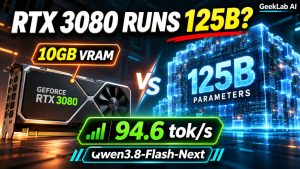
Speedy ships with preset templates for higher-end cards (e.g., RTX 3080 10GB or RTX 4090). Never use an RTX 3080 preset unchanged on an RTX 3060. The memory allocation profiles and KV cache limits must be adjusted.
cd "$HOME/projects/ai/speedy"
mkdir -p configs/mine

cp configs/cards/rtx3080-10gb/1x/strata-iq3_s.json \
  configs/mine/strata-3060-iq3_s.json

nano configs/mine/strata-3060-iq3_s.json
python3 -m json.tool configs/mine/strata-3060-iq3_s.json >/dev/null
In your configuration:
– Set absolute file paths to your two IQ3_S GGUF shards.
– Point to the matching expert pack, tokenizer, and MTP directory.
– Cap initial context_length at 32768.
– Allocate expert_cache_vram_mb to approximately 5017 (~4.9GiB).
– Leave at least 3.5GiB of VRAM unallocated for runtime activation tensors and the CUDA context.
See Speedy Configuration Placeholders Reference.
6. Launch the Local Service and Verify Inference
With configuration validated, launch the local OpenAI-compatible inference server:
cd "$HOME/projects/ai/speedy"

.venv/bin/python serve/server.py \
  --engine strata \
  --config configs/mine/strata-3060-iq3_s.json \
  --port 8080
Keep the server running in this terminal. In a secondary terminal, test the local endpoints:
curl -i http://127.0.0.1:8080/health
curl -sS http://127.0.0.1:8080/v1/models
nvidia-smi
Performing a Real Inference Test
Send a chat completion request to verify that both prefill and generation operate properly:
curl -s http://127.0.0.1:8080/v1/chat/completions \
  -H "Content-Type: application/json" \
  -d '{
    "model": "Qwen3.8-Flash-Next",
    "messages": [
      {"role": "user", "content": "Explain mixture-of-experts architecture in three concise technical sentences."}
    ],
    "temperature": 0.7,
    "max_tokens": 150
  }' | python3 -m json.tool
[!IMPORTANT]
Operational Verification Standard: A successful startup message or a200 OKon/healthis not proof that generation works. Full verification requires that the model streams actual completion tokens whilenvidia-smiconfirms VRAM engagement without memory faults. Always bind to127.0.0.1unless secure reverse-proxy authentication is configured.
7. Real RTX 3060 Benchmark Measurements
To understand real-world expectations, here is our full empirical benchmark data. The widely circulated 70.6 tokens/second metric comes from a single live demonstration run, whereas formal evaluation requires multi-run cold medians.
Formal Multi-Run Benchmark Results
Methodology: 3 consecutive cold runs per prompt length, zero cache reuse, fresh server restart between rounds.
| Metric Category | 32K Input Context | 120K Input Context | Technical Interpretation |
|---|---|---|---|
| Cold Prefill Rate (Median) | 1,005.3 tokens/s | 920.1 tokens/s | Speed at which the prompt is parsed and ingested |
| Decode Rate (Median) | 59.1 tokens/s | 68.2 tokens/s | Speed of streaming generated output tokens |
| Cold Prompt Processing Time | ~32.0 seconds | ~130.5 seconds | Time-to-First-Token (TTFT) on cold prompts |
Understanding Prefill Latency
When feeding a 120,000-token prompt into an RTX 3060, the system must ingest 120K tokens through the PCIe bus and CPU memory before writing the first word. This produces an initial wait of approximately 2 minutes and 10 seconds (~130.5s). Once prefill completes, decoding streams smoothly at 68.2 to 70.6 tokens per second.
Comparison: RTX 3060 12GB vs. RTX 3080 10GB
In a separate historical test on an RTX 3080 10GB system, cold prefill rates reached:
– 32K Context: 1,307.6 tokens/s (RTX 3060 retains 76.9% of the 3080’s speed)
– 120K Context: 1,272.7 tokens/s (RTX 3060 retains 72.3% of the 3080’s speed)
(Note: These reflect separate historical test runs rather than a strict single-variable A/B comparison.)
8. Troubleshooting & FAQ
Q1: nvidia-smi reports “NVIDIA-SMI has failed because it couldn’t communicate with the NVIDIA driver”.
- Diagnosis: The NVIDIA kernel module is not loaded or was broken by a kernel update.
- Resolution: Check your DKMS modules with
dkms status. Reinstall or reboot into the matching kernel version.
Q2: nvcc: command not found even though drivers are installed.
- Diagnosis: CUDA Compiler Toolkit is either not installed or not in your current
$PATH. - Resolution: Add CUDA binaries to your environment:
bash

  export PATH=/usr/local/cuda/bin:$PATH

  export LD_LIBRARY_PATH=/usr/local/cuda/lib64:$LD_LIBRARY_PATH
Q3: Server crashes with CUDA out of memory during startup.
- Diagnosis: Existing GPU processes (display servers, browsers, background AI tasks) or excessive
expert_cache_vram_mb. - Resolution: Run
fuser -v /dev/nvidia*ornvidia-smito kill extraneous processes. Reduce context length to32768and lower expert cache allocation to4500MB.
Q4: The server appears to hang on long inputs with zero GPU activity.
- Diagnosis: Expected cold prefill behavior on large contexts.
- Resolution: On a 120K input prompt, prefill takes approximately 130 seconds. Inspect terminal logs rather than killing the process prematurely.
Q5: Token generation speed is only 5 to 15 tok/s instead of 70 tok/s.
- Diagnosis: MTP speculative decoding disabled, PCIe bus operating at Gen2/Gen3 speeds, or dual-channel RAM bandwidth bottlenecks.
- Resolution: Verify with
lspci -vvthat the GPU is running atSpeed 16GT/s (PCIe Gen4) x16. Ensure RAM is installed in dual-channel configuration and that the MTP draft-head directory is correctly configured.
9. Official Resources & Community Links
╔══════════════════════════════════════════════════════════════════════════════╗
║                     🌐 GEEKLAB AI / WANKE NOTES ECOSYSTEM                    ║
╠══════════════════════════════════════════════════════════════════════════════╣
║ 📂 Official Speedy Repository:    https://github.com/DevDock-AI/Speedy       ║
║ 📦 Official Model Weights:        https://huggingface.co/ISTA-DASLab         ║
║ 📖 Speedy Linux Build Guide:      https://github.com/DevDock-AI/Speedy/blob/main/docs/BUILD-LINUX.md ║
║ 🛠️ Wanke Notes AI Lab Blog:       https://blog.757688.xyz/                   ║
║ 🎥 YouTube English Channel:       GeekLab AI (@geeklab_ai)                   ║
║                                                                              ║
║ ⚖️ Open-Source Notice: Model weights, engine binaries, and third-party      ║
║    dependencies belong to their respective creators under Apache 2.0 / MIT.  ║
╚══════════════════════════════════════════════════════════════════════════════╝
The Final Verdict
An NVIDIA GeForce RTX 3060 12GB graphics card is genuinely capable of running a 125B MoE language model locally at interactive speeds. However, it succeeds only when supported by substantial system RAM (~96GB), an uncompromised PCIe 4.0 ×16 interface, intelligent expert caching, and speculative Multi-Token Prediction. Hardware balance across the entire PC—not just GPU VRAM—defines the new boundary for local AI computing.
About The Author