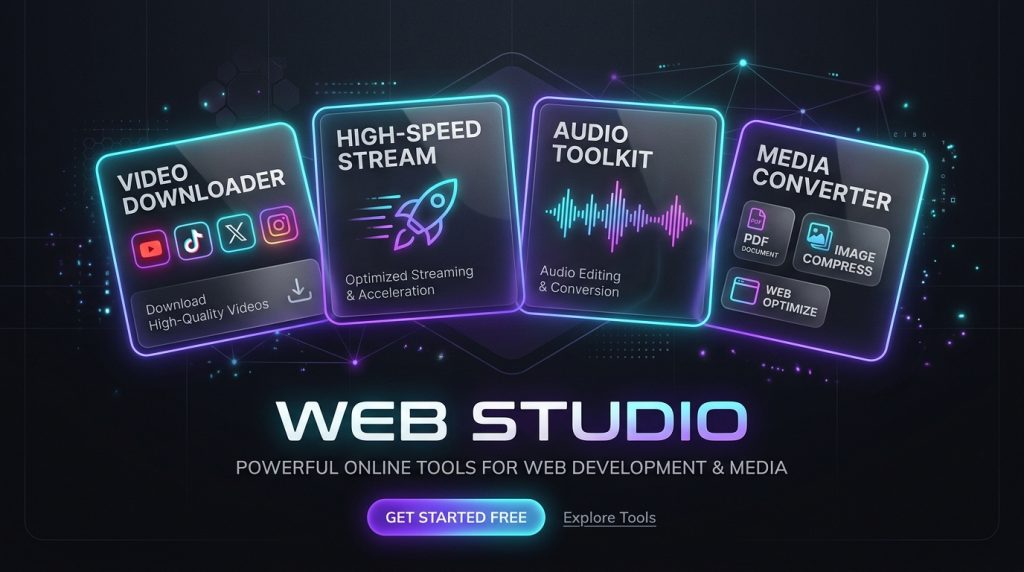
Finding a fast, clean, and reliable tool to download online videos or process routine files has become increasingly frustrating. Most online video downloaders are riddled with aggressive popups, deceptive “Download” buttons, forced account registrations, or artificial download throttles designed to upsell premium plans. Meanwhile, simple file utilities—such as image compressors and HEIC converters—frequently demand that you upload your private photos and confidential documents to unverified cloud servers.
Web Studio was created to eliminate these compromises. It is an open-access, zero-friction online utility suite engineered around two core principles: high-speed direct media extraction and 100% client-side privacy.
Whether you need to download a 4K YouTube clip, extract a watermark-free TikTok reel, save an original-quality video from X (Twitter), batch-convert Apple HEIC photos, or compress images for web publishing, Web Studio provides a streamlined, ad-free environment right in your browser.
Quick Access & Tool Directory
| Tool | Direct Link | Primary Use Case | Processing Mode |
|---|---|---|---|
| Global Video Downloader | Open Tool | YouTube (4K/Shorts/MP3), TikTok (No Watermark), X/Twitter | Serverless Direct Stream |
| Domestic Video Downloader | Open Tool | WeChat Channels, Douyin, Bilibili, Xiaohongshu | Lightweight API Resolver |
| HEIC to JPG/PNG Converter | Open Tool | Batch convert iPhone HEIC photos with EXIF preservation | 100% In-Browser (Local) |
| Image Compressor | Open Tool | Compress JPG, PNG, WebP to specific file size limits | 100% In-Browser (Local) |
| PDF Swiss Army Knife | Open Tool | Merge, split, rotate, and extract PDF pages securely | 100% In-Browser (Local) |
| Web Studio Hub | Browse All Tools | Complete index of all productivity and developer utilities | Web Application |
What Makes Web Studio Different?
Mainstream web utilities often rely on predatory monetization models. Web Studio replaces that paradigm with modern web architecture and user-respecting design:
1. Direct High-Speed CDN Streaming (Zero Server Buffering)
Traditional video download sites re-encode or buffer massive video files on their own intermediary servers before serving them to you. This creates sluggish speeds, bandwidth bottlenecks, and frequent timeout errors.
Web Studio’s Global Video Downloader utilizes a serverless direct-resolver architecture:
* It parses the official media endpoint to obtain the signed, high-speed CDN streaming URL directly from the host platform (Google Video, ByteDance CDN, or Twitter Edge).
* When you click “Download”, your browser connects directly to the platform’s high-speed content delivery network via an HTTP 302 stream pass-through.
* Result: Zero video content is ever stored or cached on our servers. You receive maximum download speeds directly from the content provider.
2. Pure Client-Side Privacy Sandbox
For document and image manipulation, uploading personal files to remote servers introduces unacceptable data privacy risks.
Web Studio runs HEIC conversion, image compression, and PDF operations entirely within your browser’s local sandbox utilizing WebAssembly (Wasm) and HTML5 Canvas:
* Your files never leave your computer or phone.
* You can verify this at any moment: open your browser’s Developer Tools (F12), switch to the Network tab, process any image or PDF, and observe that zero file bytes are transmitted over the internet.
* No server upload means zero wait time for network transfers—processing completes almost instantaneously.
3. Clean, Zero-Friction User Experience
- No Account Required: No registration, no email verification, no logins.
- No Software Installation: Works directly in any modern desktop or mobile browser (Chrome, Safari, Edge, Firefox).
- Zero Intrusive Ads: No deceptive popups, redirects, or spam banners.
Detailed Feature Matrix
                      ┌─────────────────────────────────────────┐
                      │         Web Studio Utility Suite         │
                      └────────────────────┬────────────────────┘
                                           │
             ┌─────────────────────────────┴─────────────────────────────┐
             ▼                                                           ▼
┌──────────────────────────────┐                           ┌──────────────────────────────┐
│   Global Video Downloader    │                           │   Client-Side Media Tools    │
│  (Serverless Direct Stream)  │                           │   (100% Browser Sandbox)     │
├──────────────────────────────┤                           ├──────────────────────────────┤
│ • YouTube 4K / 1080p / MP3   │                           │ • iPhone HEIC Batch Convert  │
│ • TikTok HD No Watermark     │                           │ • Smart JPG / PNG / WebP Zip │
│ • X / Twitter High-Bitrate   │                           │ • PDF Merge / Split / Rotate │
└──────────────────────────────┘                           └──────────────────────────────┘
1. Multi-Platform Global Video Downloader
- Access URL:
https://blog.757688.xyz/tools/global-video-downloader - Target Platforms:
- YouTube & YouTube Shorts: Extracts standard videos, vertical Shorts, high-definition streams up to 4K / 1080p 60fps, and standalone high-bitrate MP3/M4A audio tracks.
- TikTok: Automatically strips watermark overlays, extracting crystal-clear original 1080p MP4 videos alongside cover artwork and audio tracks.
- X (formerly Twitter): Delivers all available bitrate profiles (1080p, 720p, 480p) from tweets, allowing you to choose between maximum quality or compact file size.
- Key Capabilities: Real-time URL format auto-detection, video thumbnail previews, file size estimates, and one-click direct streaming.
2. Client-Side Apple HEIC Converter
- Access URL:
https://blog.757688.xyz/tools/heic-converter - Common Problem: Apple iPhones capture photos in high-efficiency HEIC format by default, which frequently fails to open on Windows PCs, Android devices, or legacy web portals without paid third-party software.
- Solution: Client-side decoding allows you to drag and drop dozens of HEIC images simultaneously. Convert them to universally compatible JPEG or PNG formats in seconds while preserving full camera EXIF metadata and color accuracy.
3. In-Browser Smart Image Compressor
- Access URL:
https://blog.757688.xyz/tools/image-compressor - Common Problem: Online job applications, government portals, and school registrations often enforce strict file size caps (e.g., maximum 200KB or 500KB), while original smartphone photos often exceed 5MB.
- Solution: Adjust target quality or dimensions dynamically. The compression engine applies perceptually lossless quantization to dramatically slash file size without noticeable visual degradation. Download compressed assets individually or bundled into a single ZIP archive.
4. Zero-Upload PDF Utility Toolkit
- Access URL:
https://blog.757688.xyz/tools/pdf-tools - Common Problem: Cloud-based PDF editors require uploading sensitive documents—such as employment contracts, tax filings, or bank statements—to third-party servers.
- Solution: Powered by client-side PDF rendering engines, Web Studio lets you merge multiple PDF files, split multi-page documents, rotate misoriented pages, and extract specific sheets entirely in local memory.
How to Download Videos in 3 Simple Steps
Downloading videos using Web Studio takes less than ten seconds:
- Copy the Source Link: Navigate to YouTube, TikTok, or X (Twitter) in your browser or mobile app, and copy the share link of the video you wish to save.
- Paste and Parse: Visit the Global Video Downloader, paste the URL into the input field, and click Parse Video.
- Select Format & Download: The interface will display a video preview, author details, and a list of available quality tiers. Click Download Stream on your desired resolution (e.g., 1080p MP4 or MP3 Audio) to save the media file directly to your local storage.
Practical Everyday Workflows
- Digital Creators & Social Media Managers: Download high-resolution TikTok reels and YouTube Shorts without watermarks to curate b-roll footage or archive content across platforms.
- Remote Workers & Privacy-Sensitive Professionals: Process confidential identification scans, legal agreements, and corporate presentations with PDF and Image tools without risking cloud compliance violations.
- Developers & Designers: Optimize product mockups, convert WebP graphics, and compress responsive hero banners for fast web performance without leaving the browser.
Frequently Asked Questions (FAQ)
Is Web Studio completely free to use?
Yes. All tools on Web Studio—including the Global Video Downloader, HEIC converter, image compressor, and PDF utility—are 100% free with no hidden charges, trial periods, or mandatory subscriptions.
Do I need to register or install any software?
No. Web Studio requires no user accounts, browser extensions, or installed software. Simply bookmark the URL and use the tools whenever you need them.
Are my downloaded videos or uploaded images stored on your servers?
No. For the Global Video Downloader, our server only acts as a stateless parser to resolve the official CDN stream URL; video traffic is passed directly through to your device without being cached. For image compression, HEIC conversion, and PDF editing, all processing occurs entirely within your browser’s local memory—files never leave your device.
Can I use these tools on mobile devices?
Yes. Web Studio is fully responsive and optimized for mobile browsers, including Safari on iOS and Chrome on Android.
Web Studio Quick Access Portal
╔══════════════════════════════════════════════════════════════════════════════╗
║                     🛠️ Web Studio Online Utility Hub                         ║
╠══════════════════════════════════════════════════════════════════════════════╣
║ 🌐 Official Portal: https://blog.757688.xyz/tools                            ║
║                                                                              ║
║ 🌟 Featured Utilities:                                                       ║
║   • 🎬 Global Video Downloader: https://blog.757688.xyz/tools/global-video-downloader
║   • 🍏 Apple HEIC Converter:    https://blog.757688.xyz/tools/heic-converter ║
║   • 🖼️ In-Browser Compressor:  https://blog.757688.xyz/tools/image-compressor ║
║   • 📄 Zero-Upload PDF Suite:   https://blog.757688.xyz/tools/pdf-tools      ║
║   • 🎥 Domestic Video Tool:     https://blog.757688.xyz/tools/video-downloader
║                                                                              ║
║ 🛡️ Privacy Standard: No Ads · No Registration · 100% Free · Client-Side Local ║
╚══════════════════════════════════════════════════════════════════════════════╝
About The Author