Local LLM Selection Guide: How to Pick the Best Model for Your PC & Mac (Qwen vs DeepSeek)
📢 Disclaimer & Orientation:
This article is a practical, beginner-friendly guide designed to help creators, developers, and tech enthusiasts understand the fundamentals of selecting and sizing local Large Language Models (LLMs) on personal hardware.
Note: Hardware thermals, power profiles, and background OS memory overhead vary significantly across systems. The recommendations below focus on reliable daily stability without freezing your machine. For enterprise-grade clusters, high-concurrency serving, or rigorous fine-tuning, consult specialized technical benchmarks.
Have you ever encountered these frustrating moments?
You are on a flight or high-speed train without reliable Wi-Fi, an urgent document needs drafting or translation, but your cloud AI app is stuck on an endless loading spinner. Or you are handling sensitive company contracts, proprietary code, or financial reports that you simply cannot upload to cloud servers. Or perhaps you are simply tired of ballooning monthly subscription bills for multiple AI services…
In 2026, personal computers can comfortably run high-capability Large Language Models entirely on-device.
Even when you unplug your ethernet cable and switch to Airplane Mode, your local AI assistant remains available around the clock. You get zero risk of data leakage, unlimited free generation (true token freedom), and zero network latency or rate limits.
Yet many beginners are immediately discouraged by technical jargon: Qwen 3.5, Qwen 3.8, DeepSeek-V4, distilled checkpoints, INT4, 7B, 32B… Download the wrong model, and your cooling fans scream like jet engines while your cursor stutters at 0.5 tokens per second.
This 5-minute guide cuts through the noise, helping you match the exact model size to your computer’s specifications for an effortless, whisper-quiet local AI experience.
1. Understanding the Two Powerhouses: Qwen vs DeepSeek
In the open-weight AI landscape, two dominant families stand out: Alibaba’s Qwen and High-Flyer / DeepSeek’s DeepSeek. They represent two distinctly different operational philosophies:
1. Alibaba Qwen (e.g., Qwen 3.5 / 3.8) — “The Agile & Erudite Polymath”
- Personality: Fast, perceptive, communicative, and responsive.
- Core Strengths: When queried, Qwen responds almost instantly with fluid, culturally nuanced prose across multiple languages. The lightweight Qwen 3.5 series delivers remarkable energy efficiency on thin-and-light laptops. Meanwhile, the flagship Qwen 3.8-27B combines expansive general knowledge with native multimodal vision (chart and image comprehension). For developers, the specialized Qwen-Coder series delivers top-tier code completion.
- Best Use Cases: Long-form article writing, business correspondence, multi-language translation, everyday conversational Q&A, image/document analysis, and real-time coding suggestions.
2. DeepSeek (DeepSeek-V4 Context & Distillations) — “The Methodical STEM Scholar”
- Personality: Deliberate and analytical; sketches out a reasoning scratchpad before delivering a verdict.
- A Necessary Reality Check: The trillion-parameter DeepSeek-V4 models featured in tech headlines are engineered for multi-GPU datacenter clusters. Consumer-grade laptops and desktops cannot run them directly.
- What Consumers Actually Run: DeepSeek’s official Knowledge-Distilled series (such as DeepSeek-R1 / V4 Distills). These models transfer the analytical reasoning patterns of massive models into compact open-source backbones (such as Qwen or Llama).
- Core Strengths: Before answering, the model unfolds a
<think>scratchpad, performing self-reflection, step-by-step mathematical deduction, and edge-case verification. When tackling university-level calculus, intricate algorithmic edge cases, or strict logic puzzles, it catches subtle pitfalls that standard chat models gloss over. - Trade-off: High deliberation overhead. Even if you ask a casual query like “What day is it?”, it might deliberate inside its thinking box for several seconds before producing the first token.
- Best Use Cases: Complex mathematical problems, algorithmic debugging, deductive logic exercises, and rigorous feasibility audits.
💡 The One-Sentence Rule of Thumb:
Use Qwen for responsive daily tasks, writing, and rapid conversational flow; summon DeepSeek when confronting complex algorithms, logic puzzles, and tough debugging challenges.
2. Sizing Formula: Match Your “Room” to the “Furniture”
How do you determine what model your PC or Mac can comfortably run?
The suffix behind model names—such as 2B / 7B / 14B / 32B—represents parameter scale (B stands for billion; 7B equals 7 billion parameters).
Think of model parameters as furniture, and your computer’s VRAM (or Apple Unified Memory) as the room floor space:
- Furniture Too Large for the Room: The model will fail to load (Out-Of-Memory / OOM error) or spill over into system RAM via disk paging, causing severe system freezes.
- Always Reserve KV Cache Headroom: Squeezing a 5.8GB model into a 6GB VRAM card is a common mistake. As your conversation lengthens and you feed in larger files, the model requires dynamic memory for its KV Cache (context history memory). Always leave at least 1.5GB to 2.0GB of VRAM headroom beyond the raw model weight size to keep long chats stable.
- Stick with
INT4(orQ4_K_M) Quantization: Quantization compresses 16-bit model weights down to 4-bit precision. It slashes memory requirements by ~70% with negligible loss in practical reasoning quality, making it the golden standard for personal hardware.
Hardware Tier & Model Recommendation Ladder
flowchart TD
  subgraph T1["【Tier 1: Entry-Level】Thin Laptops & iGPUs (8GB ~ 16GB RAM)"]
    direction LR
    H1["Hardware: Intel/AMD iGPU / 8GB-16GB RAM"] -->|Best Fit| M1["Sweet Spot: Qwen 3.5-2B / 4B (Q4)\nInstant response, zero lag"]
  end

  subgraph T2["【Tier 2: Mainstream】Gaming Laptops & Entry dGPUs (6GB ~ 8GB VRAM)"]
    direction LR
    H2["Hardware: RTX 3060 6GB / RTX 4060 8GB"] -->|Best Fit| M2["Sweet Spot: Qwen 3.5-4B/9B or\nDeepSeek Distill 7B/8B (Q4)\n(6GB: pick 7B; 8GB: run 9B)"]
  end

  subgraph T3["【Tier 3: Enthusiast】Mid-to-High dGPUs (12GB ~ 16GB VRAM)"]
    direction LR
    H3["Hardware: RTX 3060 12GB / RTX 4060 Ti 16GB / 4070"] -->|Best Fit| M3["Sweet Spot: DeepSeek Distill 14B or\nQwen Series 14B (Q4)\nMajor reasoning leap"]
  end

  subgraph T4["【Tier 4: Flagship Workstations】Top-tier dGPUs & High-End Macs (24GB VRAM / 32GB+ Unified RAM)"]
    direction LR
    H4["Hardware: RTX 3090/4090 24GB or\n32GB+ Unified Memory Mac"] -->|Best Fit| M4["Sweet Spot: Qwen 3.8-27B (Native Vision) or\nDeepSeek Distill 32B\nFlagship offline intelligence"]
  end

  T1 --> T2 --> T3 --> T4
3. Platform Blueprints: Windows vs Mac Strategies
Windows PCs and Apple Silicon Macs handle local model execution with fundamentally different architectures:
1. Windows PC Blueprint (Dedicated VRAM is King)
On Windows, NVIDIA GPUs with dedicated Tensor Cores and CUDA provide the highest software maturity and inference speeds. High-speed inference requires the entire model to reside in Dedicated Video Memory (VRAM). Once VRAM is exhausted and the driver offloads layers to shared system RAM, inference speeds drop drastically from 35+ tokens/sec down to 0.5 tokens/sec.
💡 Note for AMD Radeon & Intel Core Ultra Users: If you are running an AMD Radeon GPU (e.g., RX 6700XT / 7800XT / 7900XTX) or an Intel Core Ultra processor with integrated NPU, tools like LM Studio and Ollama offer DirectML and Vulkan backends. While ecosystem tooling is slightly less turnkey than CUDA, running 4B to 7B models remains completely viable.
- Office Laptops / Integrated Graphics (No dGPU, 8GB~16GB RAM):
- Strategy: Pure CPU inference; choose ultra-lightweight models.
- Recommended:
Qwen 3.5-2BorQwen 3.5-4B(Q4). Minimal footprint, ideal for quick summaries and editing without heating up your lap. - Mainstream Gaming Systems (RTX 3060 6GB / RTX 4060 8GB):
- Strategy: The most common consumer setup. Balanced performance with tight memory margins.
- Recommended:
DeepSeek-R1-Distill-Qwen-7B(exceptional bilingual logic),DeepSeek-R1-Distill-Llama-8B(strong for English code/math), orQwen 3.5-9B (Q4). - ⚠️ Pitfall Warning: With 6GB VRAM (e.g., mobile RTX 3060), remember that Windows desktop compositor uses ~0.8GB VRAM. Stick strictly to 7B models to prevent OOM errors. On 8GB cards (e.g., RTX 4060), 9B models run smoothly.
- Mid-to-High End GPUs (RTX 3060 12GB / RTX 4060 Ti 16GB / RTX 4070 / RTX 4080):
- Strategy: Ample VRAM unlocks the 14B parameter intelligence milestone.
- Recommended:
DeepSeek-R1-Distill-Qwen-14B. The 14B tier marks a well-documented leap in complex problem solving, instruction following, and architectural code reasoning. - Flagship GPUs (RTX 3090 / RTX 4090 24GB):
- Strategy: Top-tier consumer hardware capable of unconstrained local workloads.
- Recommended:
Qwen 3.8-27B (Q4)orDeepSeek-R1-Distill-Qwen-32B. Run large context windows and multimodal visual inputs locally with speeds rivaling cloud APIs.
2. Apple Silicon Mac Blueprint (Massive Capacity via Unified Memory)
Apple M-series chips (M1/M2/M3/M4) feature a Unified Memory Architecture (UMA) where the CPU and GPU share the same high-bandwidth memory pool. This allows Mac users to run large parameter models that would otherwise require multi-thousand-dollar workstation graphics cards. However, output speeds are governed by memory bandwidth (standard M chips have modest bandwidth, while Pro, Max, and Ultra variants provide immense throughput).
💡 Critical Caveat (Mac OS Usable Memory Limit): Do not count all your unified memory as available VRAM! macOS system processes, window servers, and everyday applications (browsers, IDEs, Slack) consume 4GB to 6GB of RAM. Furthermore, macOS dynamically caps any single process to ~70%–75% of total system RAM by default. On a 16GB Mac, the practical safe memory budget for models is approximately 9GB to 10GB.
- Base Configurations (8GB / 16GB Unified Memory — MacBook Air / Mac mini):
- Strategy: Keep models within a 4GB~9GB footprint.
- Recommended:
Qwen 3.5-2B / 4BorQwen 3.5-9B (Q3_K / Q4_K_M). Runs whisper-quiet with zero fan noise, maintaining full inference speed even on battery power. - Enthusiast Configurations (24GB / 36GB Unified Memory — MacBook Pro / Mac mini configs):
- Strategy: Excellent balance between battery longevity and sovereign intelligence.
- Recommended:
Qwen 3.8-27B (Q4)orDeepSeek Distill 14B / 32B. Effortlessly handles multi-page document reviews and code refactoring. - Studio & Workstation Macs (48GB / 64GB / 128GB+ — Mac Studio & Max/Ultra chips):
- Strategy: Desktop AI powerhouse.
- Recommended: On Mac Studio hardware powered by M2/M3/M4 Max or Ultra chips, running
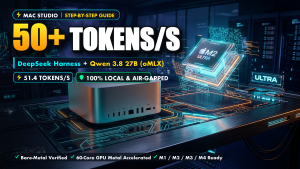
Qwen 3.8-27Bwith speculative decoding acceleration can hit 50+ tokens/second. It can even host 70B parameter models offline.
🛠️ Topic Cluster: Advanced Local AI Guides
Looking to push your hardware to its absolute limits? Check out our dedicated deep-dive engineering benchmarks:
- 🍏 Mac Studio Workstations: Mac Studio Local AI: Deploy DeepSeek Harness & Qwen 3.8 27B for 50+ Tokens/s (oMLX Guide)
- ⚡ 24GB Memory Optimization: Run 125B MoE on a Single 24GB GPU & 64GB RAM: Local Deployment Guide
- 🔴 AMD ROCm Squeezing: Deploy Qwen 3.8 27B on AMD Radeon RX 7900 XTX: Squeezing 53 TPS with 262K Context
4. Zero-Code Launchers: Run in Under 3 Minutes
Skip cumbersome command-line dependencies and manual Python environment troubleshooting. Three user-friendly desktop tools provide instant local inference:
| Launcher | Supported Platforms | Ideal For | Key Highlights |
|---|---|---|---|
| LM Studio | Windows / macOS / Linux | Complete Beginners | App Store-style search, one-click GGUF download, built-in real-time VRAM gauge (Green/Yellow/Red warnings). |
| Ollama + Cherry Studio | Windows / macOS / Linux | Clean UI & Productivity | Ollama serves as the lightweight headless inference backend, while Cherry Studio provides a sleek, ChatGPT-like conversation client. |
| oMLX | macOS (Apple Silicon) | Mac Power Users | Built specifically on Apple’s native MLX framework. Optimized for unified memory bandwidth and provides OpenAI-compatible /v1 endpoints. |
5. 4 Costly Beginner Mistakes to Avoid
- The “Biggest is Best” Fallacy:
Attempting to squeeze a 70B parameter giant onto an 8GB VRAM card will immediately crash your machine or trigger memory swapping that locks your system. A 7B or 9B model running smoothly at 30 tokens/sec is infinitely more useful than a 70B model freezing your laptop. - Using Deep Reasoning Models for Casual Small Talk:
Asking DeepSeek’s thinking model to generate a basic greeting or tell a one-liner joke causes it to deliberate inside its reasoning scratchpad for 30 seconds. Use responsive general models (like Qwen) for light tasks and reserve reasoning models for logic and coding. - Storing Model Files on Slow Mechanical HDDs or USB Sticks:
Quantized models are several gigabytes in size. Every time you start an inference session, the weights must be read from disk into memory. Always store models on a high-speed NVMe SSD to avoid waiting several minutes during model load. - Unnecessarily Cranking Context Window Sizes:
Seeing “Up to 32K or 128K context supported” and immediately setting your slider to maximum will drastically expand your KV Cache memory consumption, triggering out-of-memory errors even before generation begins. For standard daily Q&A, keep context set between 4K and 8K, raising it only when analyzing large documents.
Summary
The true power of running Large Language Models locally is the quiet confidence of complete ownership and privacy. Your conversations, proprietary data, and workflows remain completely offline and sovereign on your own machine.
Examine your computer’s VRAM or unified memory, select the right parameter tier, and take your first step into high-performance offline AI.
🌐 Connect & Follow for More Engineering Workflows
- 📺 YouTube: Chen_Yang Tech Channel
- 🐦 Twitter / X: @xin79690860
- 📝 Tech Blog: blog.757688.xyz
About The Author