Run 125B MoE on a Single 24GB GPU & 64GB RAM: Qwen3.8-Flash-Next Local Deployment Guide
Author: Chen Yang (玩客)
Categories: Local AI · AI Benchmarks
Tags:Qwen3.8MoE125B LLMinfrllama.cppRX 7900 XTXRTX 4090ROCmLocal AI Deployment
Running 100B+ parameter LLMs traditionally demands two to four 80GB enterprise GPUs (A100/H100), placing massive models out of reach for individual builders and lean teams.
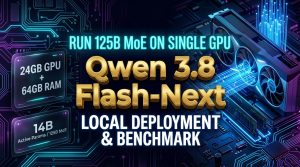
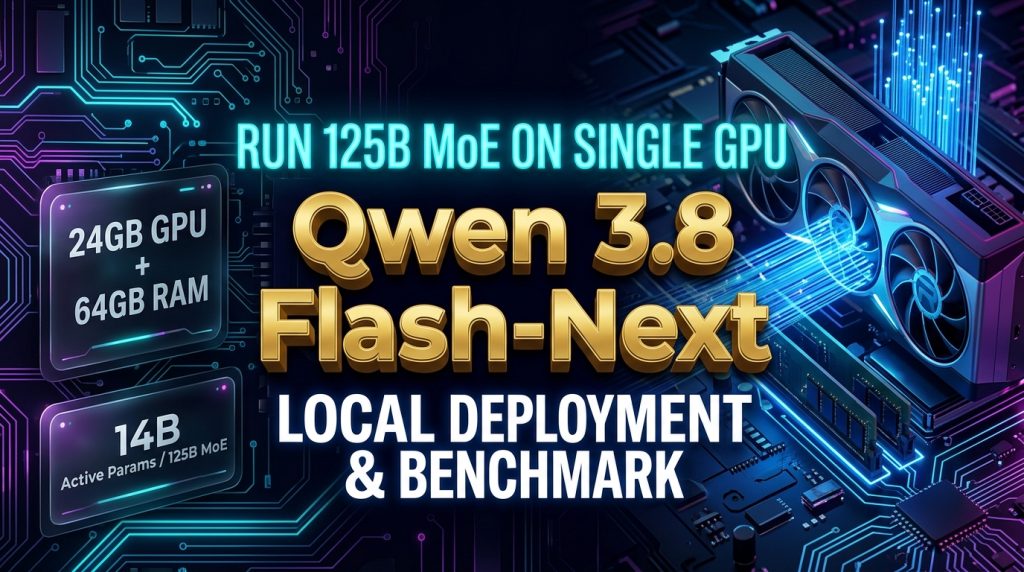
Alibaba’s open-weight Qwen3.8-Flash-Next (a 125B Mixture-of-Experts model) paired with the ultra-efficient infr runtime (the engine powering the MoE4All project) shatters this hardware barrier.
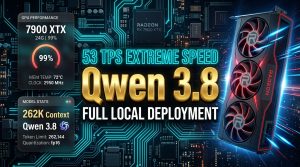
Benchmarked on a consumer-grade single 24GB VRAM GPU (AMD Radeon RX 7900 XTX) under headless Ubuntu Linux: tuned to theCONTEXT_SIZE="32k"performance sweet spot with Multi-Token Prediction (MTP) and persistent KV cache slots enabled, sustained generation throughput reaches 20.1 ~ 22.8 Tokens/s, with burst peaks hitting 33.2 Tokens/s. Under pure English prompts and Agent tool calls, output surges to 24.6 Tokens/s (peaking at 33.8 Tokens/s)!
🔗 Open-Source Projects & Resources
⚠️ Deployment Tool Clarification
This guide covers two related tools:
– 1. MoE4All Official Project (Headmaster218/MoE4All): Designed primarily for Windows 11 + AMD GPUs, offering a GUI wizard with zero command-line requirements.
– 2. Linux Service Deployment Pack (yang2020chen/Qwen3.8-Flash-Next-Deploy-Pack): Authored specifically for Linux headless server environments wrapping the underlyinginfrengine into a systemd service with automated management scripts. Both share the exact same inference engine.
| Resource | URL / Repository | Recommended Scenario |
|---|---|---|
| MoE4All Official Repo | Headmaster218/MoE4All | Windows 11 + AMD GPU, GUI wizard |
| Linux Service Deploy Pack | yang2020chen/Qwen3.8-Flash-Next-Deploy-Pack | Linux Server, 24/7 API daemon service |
| Release v1.0.0 Package | Direct Download (.tar.gz) | Pre-compiled Linux binary & scripts |
| GGUF Split Quant Weights | unsloth/Qwen3.8-Flash-Next-GGUF | Universal GGUF format (Linux / Windows) |
💡 Technical Architecture: How Does a Single 24GB GPU Run 125B?
A 125B parameter model quantized at standard 4-bit precision exceeds 60GB in weight files alone—far exceeding 24GB of physical VRAM. This deployment works smoothly thanks to four synchronized mechanisms:
graph TD
    A[Qwen3.8-Flash-Next 125B MoE] --> B[Sparse Dynamic Routing]
    B -->|Only 14B Active per Token| C[Dense Compute Density]
    A --> D[3-Tier Memory Architecture]
    D --> E[Tier 1: GPU VRAM 16.1GB Core Cache]
    D --> F[Tier 2: System RAM 45GB Active Experts]
    D --> G[Tier 3: PCIe 4.0 NVMe SSD Cold Swap]
    A --> H[PCIe ReBAR Zero-Copy Direct Access]
    A --> I[Hybrid Attention Gated DeltaNet + QSA]
- Ultra-Sparse MoE Activation Ratio: While the total parameter count is 125B, dynamic routing activates only ~14B parameters per token. The actual compute density per forward pass matches a lightweight 7B dense model.
- PCIe ReBAR Zero-Copy Direct Addressing: Enabling Resizable BAR (AMD Smart Access Memory / NVIDIA Resizable BAR) allows the CPU to directly address the GPU’s entire 24GB memory space without bounce-buffer overhead.
infrreserves 16.1 GB exclusively as a high-speed GPU expert cache pool. - Three-Tier Fluid Scheduling (“Warehouse Shelf Model”):
- 🏎️ Tier 1 (GPU VRAM ~16.1 GB): The highest-frequency core experts are pinned permanently in GPU memory for zero-latency retrieval.
- 📦 Tier 2 (System RAM ~45 GB): Mid-frequency experts reside in host RAM, streaming to VRAM in microseconds over PCIe.
- 🗄️ Tier 3 (NVMe SSD On-Demand mmap): Rarely invoked long-tail experts remain on high-speed NVMe storage, paged into RAM on demand.
Due to MoE activation’s Pareto power-law distribution, 90%+ of tokens hit Tiers 1 and 2, making SSD latency virtually imperceptible. - Hybrid Attention VRAM Economy: Combining Gated DeltaNet with QSA (Quantized Sparse Attention), a full 32K or 64K context window under Q8_0 precision consumes only ~1.29 GB of VRAM.
🏆 1. Comprehensive Benchmark Dashboard
Testbed: AMD Ryzen 7 3700X (8C/16T) + AMD Radeon RX 7900 XTX (24GB VRAM) + 96GB DDR4 RAM (Configured with 45GB budget for 64GB compatibility) + PCIe 4.0 NVMe SSD, Ubuntu Linux Headless.
Production Config: Agent Speed Optimized (CONTEXT_SIZE="32k",PAGING_CACHE=13.5GB,INFR_UBATCH=1024,INFR_MOE_SIZE_CACHE_BIAS=1.5,INFR_KV_SLOTS=4,ENABLE_MTP=1,NO_THINK=1).
| Benchmark Metric | 32K Context Sweet Spot | 64K Extended Context | Technical Insight |
|---|---|---|---|
| 🚀 Standard Code Generation | 20.1 Tokens/s | 14.3 Tokens/s | Full sequential decoding across 500+ token blocks |
| 🏎️ Burst Sliding Peak Speed | 33.2 Tokens/s | 22.3 Tokens/s | Multi-head prediction hits under MTP speculative decoding |
| 💬 Conversational Multi-Turn | 21.2 ~ 22.8 Tokens/s | 12.9 ~ 14.2 Tokens/s | Fluid real-time interaction with zero stutter |
| ⚡ Agent English JSON & Tool Calls | 21.4 Tokens/s | 16.5 ~ 20.4 Tokens/s | High structural certainty combined with VRAM headroom |
| 🌟 English System / Architecture Tasks | 24.6 Tokens/s (Peak 33.8) | 18.5 ~ 22.0 Tokens/s | Lexical convergence maximizes MTP acceptance rates |
| ⏱️ Cold Time to First Token (TTFT) | 3.29 seconds | 5.96 ~ 8.03 seconds | Compact 32K memory allocation accelerates prompt prefill |
| ⏱️ Warm Multi-Turn TTFT | 4.55 seconds | 1.92 ~ 2.75 seconds | 4-slot persistent KV cache skips shared prefix recomputation |
| 📏 Maximum Context Window | 32,768 Tokens (32K) | 65,536 Tokens (64K) | 32K ideal for Agent & code; 64K for long documents |
| 💾 GPU VRAM Utilization | 22.1 GB / 24.0 GB | 23.4 GB / 24.0 GB | 92%~97% saturation; zero OOM crashes |
🛠️ 2. Stability Guide: Running on 64GB RAM Without OOM
To run this 125B MoE model reliably on standard 64GB RAM machines, choose from one of the following three battle-tested strategies:
🎯 Strategy 1: RAM-SSD Tiered Cache (Recommended · Zero Hassle)
- Mechanism: Pin 45GB of the most active experts in system RAM, and let the remaining ~14.5GB of experts page in on demand from your NVMe SSD via mmap.
- Configuration: Set
--set ram_budget=45GBinconfig/server.env. - Result: Host RAM consumption is strictly capped at ~45GB, leaving 17GB+ of safety headroom for the OS. Output speed averages 10 ~ 13 Tokens/s (or up to 14.2 Tokens/s if upgraded to 96GB RAM for 100% memory residency).
- ⚠️ Strict SSD Requirement: The model MUST be stored on a PCIe 4.0 or 5.0 NVMe M.2 SSD (Sequential Read $\ge 5000\text{ MB/s}$ with strong 4K random read performance). Do NOT use SATA SSDs, HDDs, or external USB drives.
🎯 Strategy 2: Use the Optimized IQ3_XS Quantization
- Mechanism: Deploy the 3-bit optimized
IQ3_XSquantization weights. - Result: Total expert weights compress from ~59.5GB down to 45 ~ 48 GB, leaving 15GB+ of headroom on a 64GB system and enabling 100% RAM residency at 18 ~ 22 Tokens/s.
🎯 Strategy 3: Headless Linux Server + ZRAM Compression
- Mechanism: Run on an Ubuntu Minimal / Server environment (base memory overhead < 800MB) and enable ZRAM memory compression.
- Commands:
bash

  sudo apt install -y zram-tools

  sudo systemctl start zramswap

  zramctl
🎮 3. BIOS & Driver Environment Setup
Required Motherboard BIOS Settings
Before booting your OS, verify the following three settings in your motherboard BIOS:
1. ✅ Above 4G Decoding: Enabled
2. ✅ Resizable BAR (ReBAR) / AMD SAM: Enabled
🔍 Troubleshooting: If ReBAR only shows 256MB, ensure CSM (Compatibility Support Module) is disabled (UEFI boot only) and PCIe riser cables support full PCIe 4.0/5.0 signaling.
3. ✅ PCIe Slot: The GPU must sit in a full-speed PCIe 4.0/5.0 x16 slot directly wired to the CPU.
🔴 AMD Radeon (RX 7900 XTX / 7900 XT) — Primary Platform
The infr engine is natively optimized for AMD GPUs on Linux. You only need the lightweight open-source Mesa RADV Vulkan drivers (no bloated ROCm monolithic packages required):
sudo apt update && sudo apt install -y vulkan-tools libvulkan-dev mesa-vulkan-drivers

# Verify Vulkan installation
vulkaninfo --summary

# Verify ReBAR 24GB BAR mapping
sudo lspci -v | grep -A 25 "VGA\|Display" | grep "Memory.*prefetchable"
Dedicated environment variable (pre-configured in the deploy pack):
# Bypass Linux AMDGPU GTT handle limits and enable PCIe direct streaming
export INFR_NO_HOST_DMA=1
🟢 NVIDIA GeForce (RTX 4090 / 3090) — Community Setup
Install official proprietary NVIDIA drivers (535+ or 550+):
sudo apt update && sudo apt install -y nvidia-driver-550 nvidia-utils-550

# Verify Vulkan runtime
vulkaninfo --summary

# Verify BAR1 indicates full 24576 MiB capacity
nvidia-smi -q | grep -A 3 -i "BAR1"
⚡ 4. Linux Kernel System Tuning
Run these optimizations before launching the service to eliminate CPU scheduling jitter and prevent memory swapping:
# 1. Set CPU governor to Performance mode (reduces PCIe transfer latency)
echo "performance" | sudo tee /sys/devices/system/cpu/cpu*/cpufreq/scaling_governor

# 2. Minimize memory swapping
sudo sysctl -w vm.swappiness=10

# 3. Enable 2MB Transparent Huge Pages (reduces TLB misses across 50GB+ memory spaces)
echo "always" | sudo tee /sys/kernel/mm/transparent_hugepage/enabled
To make these settings persistent across reboots:
# Persist vm.swappiness
echo "vm.swappiness=10" | sudo tee -a /etc/sysctl.conf
sudo sysctl -p
📦 5. Production Service Deployment in 3 Steps
Step 1: Download GGUF Split Model Weights
# Install Hugging Face CLI if needed
pip install huggingface_hub

# Download the UD-IQ4_XS split weights into your models directory
huggingface-cli download unsloth/Qwen3.8-Flash-Next-GGUF \
  --include "*UD-IQ4_XS*" \
  --local-dir ~/models/Qwen3.8-Flash-Next-UD-IQ4_XS/ \
  --repo-type model
Verify the downloaded split files:
ls -lh ~/models/Qwen3.8-Flash-Next-UD-IQ4_XS/
# Qwen3.8-Flash-Next-UD-IQ4_XS-00001-of-00003.gguf  (~11 MB, metadata & vocabulary graph)
# Qwen3.8-Flash-Next-UD-IQ4_XS-00002-of-00003.gguf  (~47 GB, core weights & expert layers)
# Qwen3.8-Flash-Next-UD-IQ4_XS-00003-of-00003.gguf  (~41 GB, remaining expert matrices)
💡 Note on 00001 Size: Volume
00001is intentionally small (~11MB) because it houses the model graph, tokenizer, and tensor metadata. The engine automatically loads volumes00002and00003from the same directory.
Step 2: Download the Deployment Pack & Initialize
# Download and unpack the release bundle
curl -L -O https://github.com/yang2020chen/Qwen3.8-Flash-Next-Deploy-Pack/releases/download/v1.0.0/moe4all_deploy_pack.tar.gz
tar -xzf moe4all_deploy_pack.tar.gz
cd moe4all_deploy_pack

# Execute automated environment self-check and register the ~/qwen38 command
chmod +x install.sh
./install.sh
Directory structure:
moe4all_deploy_pack/
├── bin/
│   └── infr                   # Pre-compiled high-performance binary (~35MB)
├── config/
│   ├── server.env             # Core runtime configuration
│   └── server.env.example     # Reference template
├── scripts/
│   ├── server.sh              # Service lifecycle controller (start/stop/status/log)
│   └── test_api.py            # Stream throughput benchmarking tool
└── install.sh                 # Environment installer
Step 3: Configure and Start the Daemon
Edit config/server.env to point to your model path:
# Model absolute path
MODEL_PATH="${HOME}/models/Qwen3.8-Flash-Next-UD-IQ4_XS/Qwen3.8-Flash-Next-UD-IQ4_XS-00001-of-00003.gguf"

# Server bindings
SERVER_ADDR="0.0.0.0"
SERVER_PORT=8080

# Compute parameters
CONTEXT_SIZE="32k"         # 32k sweet spot / 64k for long documents
PAGING_CACHE="13.5GB"      # GPU ReBAR expert cache budget
KV_QUANT_TYPE="q8_0"       # 8-bit KV Cache quantization
CPU_THREADS=16             # Match physical CPU core count

# Performance toggles
ENABLE_MTP=1               # Multi-Token Prediction speculative acceleration
NO_THINK=1                 # Disable reasoning chain for minimal latency
NO_HOST_DMA=1              # Bypass Linux GTT limits

# Agent optimizations
export INFR_UBATCH=1024
export INFR_MOE_SIZE_CACHE_BIAS=1.5
export INFR_KV_SLOTS=4
Start the daemon service:
~/qwen38 start
~/qwen38 status
🚀 6. Verification & API Benchmarking
Test the OpenAI-compatible REST endpoint:
curl http://localhost:8080/v1/chat/completions \
  -H "Content-Type: application/json" \
  -d '{
    "model": "qwen3.8-flash-next",
    "messages": [
      {"role": "user", "content": "Explain Multi-Token Prediction (MTP) in 3 concise bullet points."}
    ],
    "stream": false
  }'
Run the included automated benchmark script:
~/qwen38 bench
⚡ 7. Autonomous Agent Workflows: Why English Tool Calls Are 30%–50% Faster
In autonomous Agent workflows (LangChain, AutoGen, CrewAI, OpenClaw), benchmark testing reveals a striking performance disparity: English-based reasoning and JSON tool calling runs 30% to 50% faster than Chinese prompts.
The Underlying Mechanics
- Token Density & Tokenizer Alignment: English words typically encode at 1 to 1.3 tokens per word, whereas multi-byte CJK text requires significantly more tokens. Less generated tokens translates directly to faster wall-clock execution.
- Grammar & Structural Convergence: JSON syntax and API schema definitions (
{"tool": "execute", "parameters": {...}}) are purely English-based. The model routes through predictable expert pathways, minimizing routing divergence. - MTP Speculative Hit Rate: Because structured English code and JSON tokens have high conditional probability, the Multi-Token Prediction head achieves acceptance hit rates between 75% and 88%, emitting multiple tokens per clock cycle.
The Golden System Prompt Rule
To maximize throughput while communicating with global audiences, inject this bilingual constraint into your Agent’s System Prompt:
You are an ultra-fast autonomous AI agent.
CRITICAL CONSTRAINT: Always conduct your internal reasoning, planning, and structured tool calls (JSON schemas) strictly in English to maximize inference speed.
Formulate the final user-facing response in the user's preferred language.
❓ 8. Troubleshooting & FAQ
Q1: PCIe ReBAR only displays 256MB instead of 24GB
- Solution: Enter your motherboard BIOS and disable CSM (Compatibility Support Module). Ensure UEFI boot is active and 4G Decoding / ReBAR is set to
Enabled. Upgrade motherboard BIOS firmware if the issue persists.
Q2: Experiencing sudden micro-stutters during generation
- Solution: Check that the model files reside on a PCIe 4.0/5.0 NVMe SSD. Ensure
vm.swappiness=10is active and verify CPU governor is locked toperformance.
Q3: How do I access this model from remote devices on my LAN?
- Solution:
SERVER_ADDR="0.0.0.0"is pre-configured. Open port 8080 in your firewall (sudo ufw allow 8080/tcp) and point your front-end (Open WebUI, Chatbox, Cursor, Continue.dev) tohttp://<YOUR_SERVER_IP>:8080/v1.
💬 Discussion & Hardware Feedback
What GPU and RAM setup are you running for self-hosted MoE models? Have you benchmarked Qwen3.8-Flash-Next on your workstation?
Drop your hardware specifications, driver versions, and tokens/sec numbers in the comments below!
About The Author